
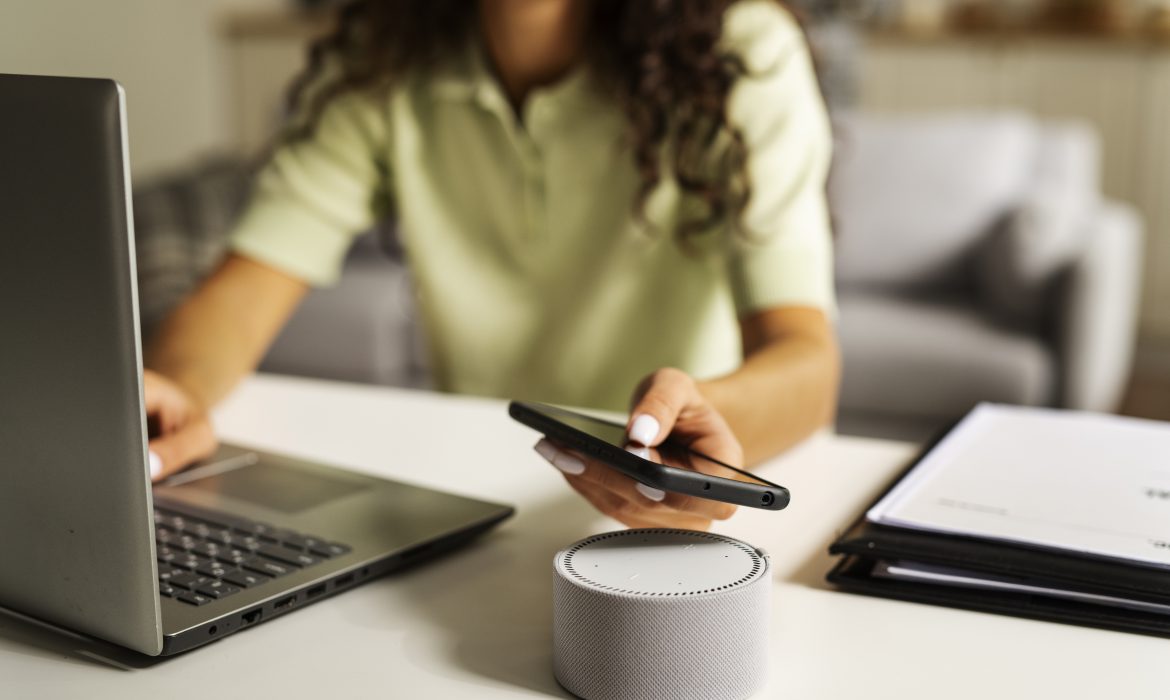
Are You Ready to Revolutionize Your Shopping Experience with Amazon Alexa?
Introduction To Amazon Alexa Voice Shopping
In today’s fast-paced world, convenience and efficiency are key drivers in how we shop. Amazon Alexa Voice Shopping is a groundbreaking feature that allows users to make purchases effortlessly using voice commands. With just a few spoken words, Alexa, Amazon’s intelligent virtual assistant, can search for products, add them to your cart, and even complete purchases on your behalf. This service is revolutionizing the way we shop, making the process faster and more seamless experience than ever before.
What Is Amazon Alexa Voice Shopping?
Amazon Alexa Voice Shopping is a service that enables customers to shop directly from Amazon using voice commands via Alexa-enabled devices such as the Amazon Echo. Acting as a virtual shopping assistant, Alexa makes the purchasing process easier by eliminating the need to search for products on the Amazon website or app manually. With Alexa, you can browse products, add them to your shopping cart, and even finalize your purchases without lifting a finger.
Where Can You Use Amazon Alexa Voice Shopping?
The Alexa Voice Shopping feature is accessible across multiple devices, providing flexibility and convenience to users:
Amazon Echo: The primary device for Alexa Voice Shopping, available in various models including Echo, Echo Dot, Echo Show, and Echo Spot. Each model allows users to shop with ease using voice commands.
Amazon Tap: A portable and hands-free Alexa device that supports voice shopping, offering flexibility for on-the-go purchases.
Amazon Fire TV: This device integrates Alexa Voice Shopping, allowing you to make purchases directly while enjoying your favorite shows.
Amazon Fire Tablets: These tablets are equipped with voice shopping capabilities, making it easy to order products while you’re on the move.
Amazon App: The Alexa Voice Shopping feature is also integrated into the Amazon app, available on both Android and iOS devices, providing a convenient way to shop from your smartphone.
To utilize Alexa Voice Shopping, an Amazon Prime membership and 1-Click ordering must be enabled. Non-Prime members can still access this feature through the Amazon app but will need to manually complete their orders after adding items to their cart.

How To Set Up And Secure Alexa Voice Purchasing?
1. How to Turn On Alexa Voice Purchasing
Before you can start shopping with Alexa, you need to take a few essential steps. First, you must be an Amazon Prime member, which costs $119 per year. While this membership is necessary for voice shopping, it also comes with a host of other benefits.
To enable Voice Purchasing, open your Alexa app and follow these steps:
– Go to Menu > Settings > Account Settings > Voice Purchasing.
– Toggle on Voice Purchasing.
Afterward, you’ll need to set up a payment method by visiting the 1-Click Preferences section on the Amazon website.
To purchase an item, simply say, “Alexa, add [item name] to my shopping cart.” Alexa will locate the product and add it to your cart. Once you’ve finished shopping, say, “Alexa, order items in my shopping cart,” and then confirm your order.
2. Prevent Unwanted Alexa Voice Purchases
Unintended purchases have been reported, with even pets and children making unauthorized orders. To prevent this, you can use Alexa’s security features, such as a voice code and voice ID.
One of the most effective ways to control purchases is by setting up a four-digit voice code required to authorize transactions. Here’s how:
– Open the Alexa app and go to More > Settings > Account Settings > Voice Purchasing > Purchase Confirmation > Manage.
– Toggle on Voice Code, enter a four-digit code and tap Go.
Be sure to remember the code, as you’ll need it to confirm future orders.
For added security, consider setting up Alexa Voice ID, which restricts purchases to recognized household members only. To do this:
– Open the Alexa app and navigate to More > Settings > Account Settings > Voice Purchasing > Purchase Confirmation > Manage > Voice ID.
– From there, you can enable or disable saved profiles or create new ones.
Key Features Of Amazon Alexa Voice Shopping
Amazon Alexa Voice Shopping offers several features that enhance the shopping experience by making it more convenient, personalized, and efficient. Below are some of the key features:
- Voice Commands for Shopping
Voice commands allow you to shop hands-free by interacting with Amazon Alexa through simple spoken instructions. This feature makes the shopping process incredibly convenient, enabling you to add items to your cart, search for products, and place orders without needing to type or visit a website or app.
For instance, you can say, “Alexa, order a pack of AA batteries,” and Alexa will find the product, confirm the details, and complete the purchase. This feature is especially beneficial for individuals who are multitasking or have limited mobility, simplifying the shopping experience to just a few spoken words.
- Personalized Recommendations
Amazon Alexa enhances your shopping experience by offering personalized recommendations based on your past purchases, browsing history, and preferences. This feature helps you discover relevant products without the need to spend time searching.
For example, if you often purchase snacks, Alexa may suggest new brands or products that align with your tastes. Personalized recommendations make the shopping process more intuitive and tailored, leading to higher customer satisfaction and a greater likelihood of finding products that meet your needs.
- Order Tracking and Management
Alexa’s order tracking and management feature provides real-time updates on your purchases, allowing you to easily stay informed about order status and delivery times. You can ask questions like “Alexa, where’s my package?” or “Alexa, what are my recent orders?” to get detailed information about your shipments.
This feature eliminates the need to manually check emails or the Amazon app for updates, offering a convenient way to monitor and manage your orders through simple voice queries. It enhances the shopping experience by keeping you informed and reducing any uncertainty about your deliveries.
- Reordering Favorites
Reordering your favorite items is made simple with Alexa. You can quickly repurchase products you frequently buy by using a voice command.
For example, by saying, “Alexa, reorder tissues,” Alexa will identify the specific brand and size you previously purchased and add it to your cart. This functionality saves you time and effort, as you won’t need to search for the item each time you need it. It’s particularly useful for household essentials and frequently used products, ensuring you can easily maintain your supply of these items.
- Deals and Discounts
Alexa keeps you informed about special deals and discounts available on Amazon, helping you make cost-effective purchasing decisions. You can ask, “Alexa, what are today’s deals?” to learn about the latest promotions on products that might interest you.
This feature ensures that you don’t miss out on savings opportunities and allows you to take advantage of limited-time offers. By delivering information on deals through voice commands, Alexa makes it easier to stay updated on discounts without actively searching for them, enhancing the overall value and convenience of shopping with Alexa.
- Cancel Unwanted Purchases
Mistakes happen, and sometimes you may need to cancel an order placed through Alexa. If you used Amazon’s 1-Click purchasing, you have a 30-minute window to cancel before the order is finalized.
To cancel:
– Log in to your Amazon account on your phone or computer.
– Select “Your Orders.”
– Find the relevant order and choose “Cancel Items.”
– Check the box next to each item you want to cancel, then select “Cancel checked items.”
- Get Gift Ideas with Alexa
Alexa can be a great help when you’re searching for gift ideas, especially during the holiday season. Ask Alexa for suggestions, and she can add items to a list for you to purchase later. If you’re still unsure, you can also order gift cards using Alexa.
- Track Your Packages with Alexa
Once you’ve placed an order, you can use Alexa to track your packages. Just ask, “Alexa, where is my package?” and she’ll provide details on when the items were purchased and their expected delivery date.
To get automatic shipping updates, go to the Alexa app
Select Settings > Notifications > Shipping notifications. Toggle on the notifications you want, and Alexa will keep you informed when there’s new information.

Wrapping Up
Incorporating Amazon Alexa Voice Shopping into your e-commerce strategy can significantly enhance the customer experience by providing a seamless, hands-free shopping option. By doing Amazon listing optimization for voice search and leveraging Alexa’s personalized recommendations and security features, you can increase customer engagement and drive sales. At U-COMMERCE, we help you take full advantage of these innovative tools, ensuring that your Amazon store is not only voice-shopping friendly but also primed for success in the evolving e-commerce landscape. Partner with us to stay ahead of the competition and deliver an exceptional shopping experience to your customers.

Step-By-Step Guide On How To Start Selling On Amazon
Entering the Amazon marketplace can be a lucrative venture, but success requires careful planning and execution. This guide will walk you through the key steps to becoming a successful Amazon seller, from choosing the right products to effectively managing your business.
1. Identifying the Right Products to Sell

Choosing the right products is a foundational step for any Amazon business. It can make or break your success, so take time to research and make informed decisions.
Analyze Market Demand and Consumer Trends
Researching what consumers want and staying ahead of trends is essential. Here’s how to get started:
- Explore Amazon’s Best Sellers Page: This feature highlights popular products across categories, giving you insights into what is in high demand.
- Study Sales Data: Examine sales rankings within product categories. Higher rankings often indicate products with strong sales potential.
- Monitor Seasonal and Trending Products: Keep track of seasonal shifts, holiday-related items, or products influenced by current events.
- Use Tools Like Amazon Product Opportunity Explorer: This tool provides valuable data on search behavior and purchase trends, helping you identify profitable opportunities.
- Evaluate Profit Margins: High sales volume is great, but your chosen products should also offer strong profit potential after accounting for Amazon fees and other expenses.
2. Define Your Business Model and Niche

To carve out a space in the competitive Amazon marketplace, selecting the right business model and niche is critical.
Explore Your Interests and Expertise
Choosing a niche that aligns with your passions or knowledge can make the process more enjoyable and increase your chances of success.
Assess Market Opportunities
Utilize tools like Google Trends and Amazon-specific analytics to identify growing niches with sustainable demand.
Analyze Competition and Profitability
While some niches are highly competitive, they may also promise higher sales volumes. Balance competition with the profitability of products in your niche.
3. Setting Up Your Amazon Seller Account

Once you’ve decided on what to sell, the next step is registering your Amazon seller account.
Choose the Right Selling Plan
Amazon offers two primary seller plans:
- Individual Plan: Ideal for those selling fewer than 40 items per month, with a per-sale fee of $0.99.
- Professional Plan: Costs $39.99 per month and is recommended for sellers who plan to scale. It offers advanced features like bulk listing tools and access to detailed sales reports.
Register on Seller Central
Gather key details, including your business name, address, tax ID, and bank account information, to complete the registration process. After signing up, you’ll gain access to Seller Central, a comprehensive dashboard for managing your Amazon business.
Set Up Your Profile
Configure your seller profile with relevant details such as your business policies, shipping rates, and payment settings. Ensure that tax information is accurate to avoid compliance issues.
4. Sourcing Your Products
Decide how to source your inventory based on your business model and budget.
Explore Sourcing Options
- Buy from Wholesalers: Purchase products in bulk at discounted prices for resale.
- Manufacture Your Own Products: Develop custom items to differentiate your brand, though this requires a higher upfront investment.
- Dropshipping: Partner with suppliers who handle inventory and shipping directly to customers. This model reduces overhead costs but offers less control over quality and branding.
5. Creating and Optimizing Product Listings
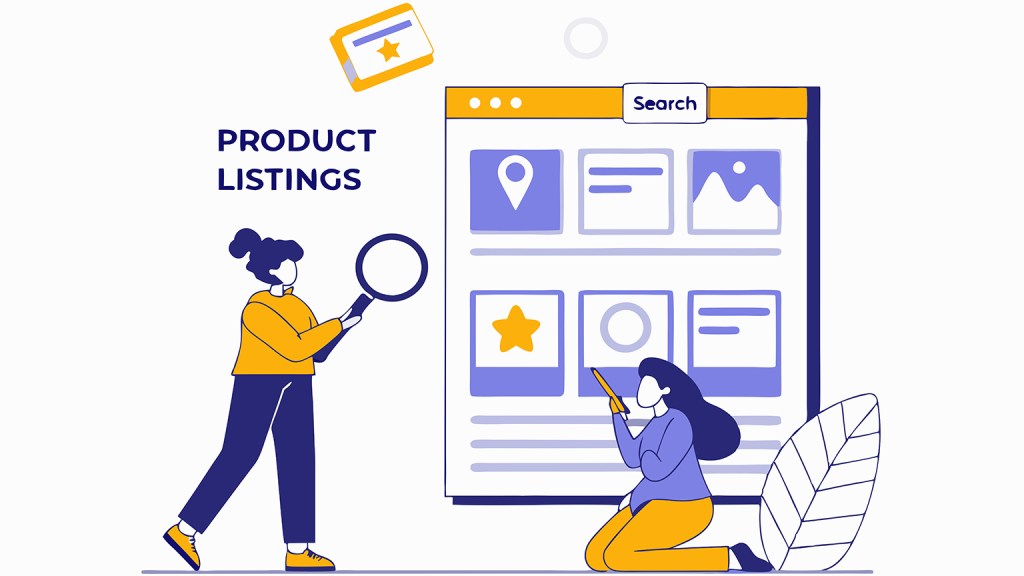
Your product listings are your primary tool for attracting customers. Optimize them for search visibility and conversion.
Craft High-Impact Listings
- Compelling Product Titles: Include relevant keywords, starting with the brand name, and keep titles concise and clear.
- Descriptive Bullet Points: Highlight the product’s key features and benefits in a format that is easy to scan.
- Detailed Descriptions: Provide in-depth information to answer potential customer queries.
- High-Quality Images: Use sharp, professional images that show your product from multiple angles. Infographics can further clarify features.
Use Strategic Keywords
Keywords are essential for improving search visibility. Use tools like Google Keyword Planner and Amazon’s autocomplete feature to identify high-traffic keywords. Place these strategically in your title, bullet points, and backend search terms.
Leverage Amazon’s Tools
Amazon offers tools such as Fulfillment by Amazon (FBA) and Sponsored Products to enhance your listings and improve sales performance.
6. Managing Inventory and Pricing

A successful Amazon business requires efficient inventory management and competitive pricing strategies.
Track Inventory Levels
Avoid stockouts and overstocking by implementing a real-time inventory management system. This ensures you can meet demand without tying up excess capital.
Optimize Pricing
Regularly adjust your prices based on competitor activity, market demand, and seasonal trends. Aim for a balance between affordability and profitability.
7. Marketing and Promoting Your Products

Marketing plays a pivotal role in driving traffic to your listings and increasing sales.
Run PPC Campaigns
Amazon’s Pay-Per-Click (PPC) advertising allows you to bid on keywords to appear in search results. With PPC, you only pay when customers click on your ad, making it a cost-effective strategy for increasing visibility.
Offer Promotions and Discounts
Boost sales by offering coupons, lightning deals, or buy-one-get-one promotions. These strategies attract bargain hunters and encourage quick purchases.
8. Exploring Fulfillment by Amazon (FBA)

Consider using FBA to streamline your operations. Amazon handles storage, packing, shipping, and customer service, freeing up your time to focus on growth.
Getting Started with FBA
- Set Up FBA on Seller Central: Choose FBA as your shipping option during account configuration.
- Prepare Products: Adhere to Amazon’s packaging and labeling requirements.
- Ship to Fulfillment Centers: Send your inventory to Amazon’s warehouses, where it will be sorted and stored.
9. Tips for Long-Term Success

Before launching your Amazon business, keep these additional tips in mind:
- Engage with Seller Communities: Learn from experienced sellers by joining forums and online groups.
- Monitor Performance Metrics: Regularly review sales data, customer feedback, and fulfillment metrics to identify areas for improvement.
- Budget Wisely: Plan for unexpected costs, such as returns or slow sales periods.
Conclusion
Becoming a successful Amazon seller involves thoughtful planning, continuous learning, and effective execution. Each step contributes to building a profitable business from selecting the right products to leveraging Amazon’s tools. You can turn your Amazon store into a thriving enterprise with the right strategies and a commitment to excellence.
For tailored support, consider partnering with us. At U-COMMERCE, where our expertise helps sellers maximize visibility, optimize Amazon listings, and drive consistent sales growth.

Negative Amazon Reviews: Take Advantage of Them
Usually, negative reviews are unpleasant & upsetting for private Amazon sellers or any seller. Customer reviews are a crucial part of the establishing procedure for starting your selling business.
Amazon is designed to make shoppers happy, so the products with the highest customer ratings are preferred more and have the upper hand in overall competitive selling. The conversions of such Amazon listings are higher too making it easily available for adding to a cart and buying them over other competitors.
In this article, we will talk about how we can convert negative Amazon reviews into an asset for the business.
Understand Your Customer

According to Amazon, Customer Reviews are for helping customers to learn more about the seller’s product to decide if the product is right for them or not. Customer reviews should help the other fellow shoppers to shop well, by giving genuine feedback regarding their purchase.
It’s interesting to observe that Amazon makes no mention of the seller in this definition. Instead, it highlights how crucial the needs and voice of the client are. That tactic has been successful, as seen by the astounding volume of purchases made on Amazon every day.
Despite being a vendor, you most likely shop online too. Before making a purchase, would you like to see reviews that have been altered to eliminate any negative feedback, or would you prefer to see the true benefits and drawbacks?
Amazon has been under investigation in recent years for illegal product review manipulation tactics by both vendors and the authorities. Black-hat vendors employ strategies like buying evaluations from consumers to post favorable comments on their listings or unfavorable reviews on those of their rivals. But Amazon has also taken legal action against organizations that employ these strategies, making it very evident that its primary objective remains to offer customers frank, truthful feedback.
And occasionally, sincere, unfavorable evaluations are left by actual customers. Therefore, despite how annoying it may be when a bad review appears on your listing, take a big breath and evaluate if the buyer may have a point.
Supplier Accountability
Reviews on Amazon might help hold providers responsible. Assume for the moment that you are selling jewelry that you import from India under your private label. You’ve noticed that customers have been making remarks like this lately:
“Cheap material – this was supposed to be silver, but it’s not.”
“The clasp broke a few days after I started wearing it.”
“Not bad for the price, but it’s not silver.”
You have a grudge against your source. Either a misunderstanding needs to be cleared up, or you’re being sold a false impression. In any case, it’s preferable to take care of it right away rather than having to fulfill and refund hundreds or thousands of orders. Put differently, it is possible to develop a more feasible long-term sourcing strategy by failing quickly.
More Astute Product and Marketing Selections
You’ll also find it easier to make more informed selections about products and marketing by keeping a careful eye on reviews for concerns about suppliers and changing client preferences.
To be honest, not every concept you have for a private-label product will become a best-seller. In a crowded market with better, more affordable options, some will struggle to draw customers, and some may simply not be what they want. A few unfavorable customer evaluations could be a warning sign that the product, at least in its current form, would have trouble finding product-market fit and succeeding in the marketplace.
Prioritizing your company endeavors will be easier if you are aware of this early on. Perhaps it’s time to work on version 2.0 of the product or concentrate on other better-performing items in your inventory rather than stockpiling more of the same one.
How to Use Unfavorable Reviews to Your Advantage
 That’s the theory, but how can you apply all these lessons that you’ve learned from your unfavorable reviews? Three steps are involved:
- Keep an eye on your Amazon listings to find out when a bad review has been left for you.
- As much as possible, a short-term settlement with each reviewer individually.
- Long-term agreement on your product, supplier, or business plan.
Let us discuss each of these in turn.
Keeping an eye out for unfavorable reviews
Go to Brands > Customer Reviews in Seller Central to check your most recent reviews if you have an Amazon Brand Registry. (You cannot be brand registered if you are unable to see Brands.) To find out whether any unfavorable reviews require your attention, you must, nevertheless, regularly monitor this reviews dashboard.
As an alternative, you can register for a software program that will track reviews and even notify you via email or text when a new review is received, regardless of whether you have a Brand Registry or not.
In the near run, especially, being aware of a new bad review as soon as possible improves your chances of using it to your benefit.
Short-term Fix: Getting in touch with the client
The customer review dashboard also gives brand-registered sellers the option to get in touch with customers who have left bad reviews by sending a pre-written letter that offers a refund or a replacement item.
Sending these templated offers is an excellent practice, even though you are not allowed by Amazon regulation to encourage a buyer to remove or alter a product review. Consider yourself the customer: you would be more inclined to update your review to reflect the good experience if you had submitted a poor review complaining that your item came damaged and you received an email offering to replace the thing for free within a few hours of your review.
Long-term Fix: Enhancing Your Listing or Product
It could be time to make more significant adjustments if you see trends in the criticism remarks. Here are a handful of instances:
Amazon listing optimization: Negative evaluations may occasionally stem from a badly designed product detail page. You may be able to mitigate future negative ratings by making a few minor changes to the information and graphics on your page to set more reasonable expectations. For instance, include a picture that more clearly illustrates the product’s dimensions if buyers frequently comment that the item is smaller than they anticipated.
Enhancing current products: Analyze the negative feedback you get and look for trends. Is there a way you could improve the product’s material or design to give your customers greater value? How many of the unfavorable evaluations would have been favorable if that were the case? A revised and enhanced version of your product is something to think about, particularly if it would enable you to outsell your rivals in terms of sales. (Just make sure you know if the modifications require a new ASIN, UPC, or GTIN.)
Finding ideas for new products: Customers may bring up a significant improvement they’d like to see in the product, a different issue they’d want to see resolved, or a complementary item they bought, which may inspire you to develop your line of offerings.
Control Your Unfavorable Amazon Reviews

Your Amazon store page will greatly benefit from positive evaluations. You can’t satisfy everyone all the time, so the odd poor rating is to be expected. However, you should keep an eye on your Amazon unfavorable reviews to see any worrying patterns.
If you want to prevent negative reviews, Amazon Account experts at U-COMMERCE can help you with optimizing your product listing, creating compelling graphics and proper account management. Contact us today.
How to Maintain Your Amazon Account Health (2025)
Are you annoyed with a red warning on your Seller Central account dashboard and cannot figure out how to solve it? You are in the right place, this blog will let you know exactly how to solve all your account health problems to turn it green from red.
Let’s start by covering all the basics and needful information regarding Amazon Account Health.
What is Amazon Account Health?
Amazon Account Health is an in-built system designed by Amazon for their Amazon Sellers. It helps to evaluate the seller’s compliance and customer reception as per Amazon’s selling policies.
It has the following metrics for sellers to use Policy Violations, Order Defect Rate (ODR), Shipping Performance, and Invoice Defect Rate (IDR) for Amazon Business customers. These metrics will help sellers to keep a note of their performance on the Amazon platform.
Where to find your Amazon Account Health?

You can have access to your account health dashboard easily by logging in to your Amazon seller account. Go to the performance tab and select Account Health in that dropdown menu to start with Amazon Account Health.
You will get a detailed view of Customer service performance, Policy compliance performance, shipping performance, and product compliance requests altogether.
Amazon Account Health Metrics To Know
To maintain a healthy seller account you must look into 3 criteria for satisfying the customer experience and those 3 criteria are:

1. Customer service performance
It depends on the 2 major criteria namely Order Defect Rate and Invoice Defect Rate. ODR -Order Defect Rate takes into consideration the feedback given by your customers, claims such as chargeback claims and A to Z guarantee claims which upon consideration gives you an overview of the seller’s customer service experience. Whereas IDR-Invoice Defect Rate takes into consideration the Amazon orders invoice without the tax consideration is being uploaded within one business day of shipping.
2. Policy compliance
It talks about rules that must be followed and that no violations are accepted. Your business account should keep in check with the Amazon guidelines around intellectual property issues, authenticity concerns, product conditions, and other policy violations.
3. Shipping performance
Shipping performance helps you measure all the shipping-related rates such as – Late Shipment Rate, Valid Tracking Rate, Pre-Fulfillment Cancelation Rate, and Return Dissatisfaction Rate.
What is Amazon Account Health Rating (AHR)?
The Account Health Rating (AHR) system is a very important aspect for your seller account overall health indication. It has indications such as Healthy, At Risk or Unhealthy signs to let sellers know their performance status.
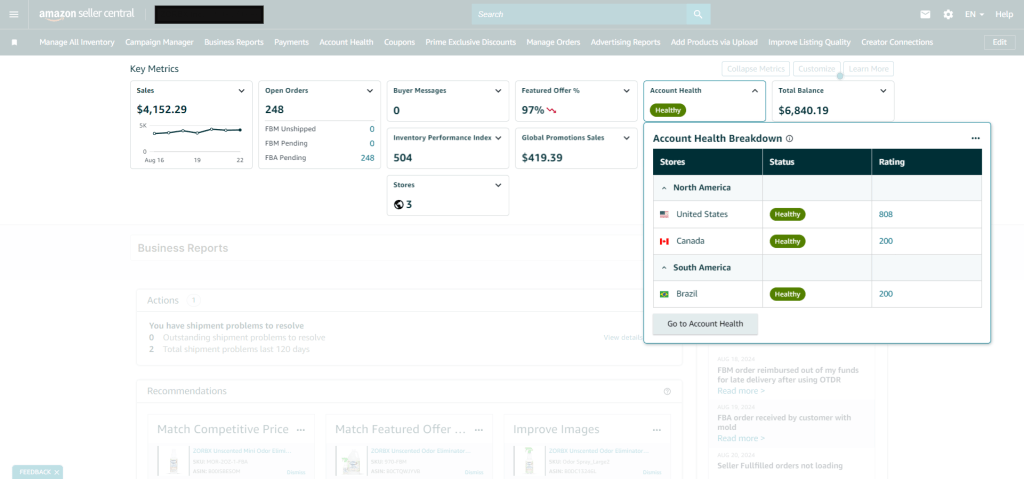
AHR is measured with the help of 3 different colors with respect to health scores from 0 to 1000:
- The Green Color indicates a score from 200 to 100 points which suggests your account is healthy.
- The The Orange Color is for indicating the score from 100 to 199 points which suggests your account is at risk.
- Red Color indicates a score of 99 or lower points which suggests your account is at huge risk.
This score updated is in real-time so you can see the immediate impact on your account health on any policy violations that take place. Amazon also has four levels of severity related to policy violations: critical, high, medium and low.
- Critical is for anti-counterfeiting policy violation
- High is for brand name policy violation
- Medium is listing policy violation
- Low is product detail page rules violation
How to improve your Amazon Account Health?
Here are a few given strategies to improve your Amazon Account Health:
Stick To Amazon Guidelines
We need to stick to the Amazon guidelines to not get any violations. Amazon has strict policies and every seller should follow them and try to check out all restrictions.
Make Sure You Deliver On-Time
Amazon FBA deliveries are covered by Amazon so no hassle with that. But for Fulfilment By Merchant (FBM) Sellers, you need to maintain your shipping quantities. If you are facing difficulties with maintaining deadlines, then you can enroll yourself in Amazon’s Buy Shipping services or other carriers to improve your shipping performance.
Make Use of Trackable Shipping Methods & Adequate Packaging
You need to make sure you use the highest quality shipping services which are easily trackable. Also, make sure, the packaging is well-done and well-processed because it will help you reduce bad reviews and will make your shipping performance better.
Make Sure Your Products Stand Out Accurately
Sellers need to watch out for how their products stand out from per customer’s point of view. Use proper images enhanced content, and videos to make sure your customers understand your product accurately. Never mislead them, because if they are misled then probably you will get negative feedback with returns which may affect your Amazon account health.
Timely Reply To Your Customers
Try to always promptly reply to your customers. Quick communication within 24 hours will make sure customer gets their issues resolved which will lead to no negative feedback or returns eventually.
Proper Inventory Management
Avoid Cancellations or out-of-stock orders on your products, especially FBM Sellers.
Review Your Product Listings Regularly
Try to always check up on your active listings, notifications, and alerts from Amazon Seller to make sure your account health is always good. Moreover, pay high attention to product reviews and try to improvise your product based on that.
What happens if your Amazon Account Health decreases?
Following are the repercussions when your Amazon Account Health is deteriorating:
Warning & Account Suspension
A decline in your health can bring you warnings from Amazon, account suspension, or direct removal from the platform as well.
Request For A Plan-Of-Action
Amazon may ask sellers out for a Plan Of Action within 48 hours of the timeline if your performance is below target. This step will allow sellers to prove their commitment to improvising and restoring their Amazon account health.
Withhold of Funds or Restricted Selling Practices
If sellers fail to provide a Plan of Action to Amazon within the adhered timeline, then Amazon may withhold their funds or restrict their selling practices for a temporary period.
Deactivation of Account
Deactivation won’t happen without critical violations. It will happen only if the seller fails to improve Amazon account health metrics even after multiple warnings.
Reinstating Your Account
If the seller successfully addresses violations and demonstrates a clear willingness to improve and work on the same, then reinstating of seller’s account is possible if Amazon agrees.
If you require further assistance managing your Amazon Seller or Vendor Central account, feel free to reach out to the Amazon experts at U-COMMERCE
Amazon FBA Vs. Dropshipping-What is Best For You?
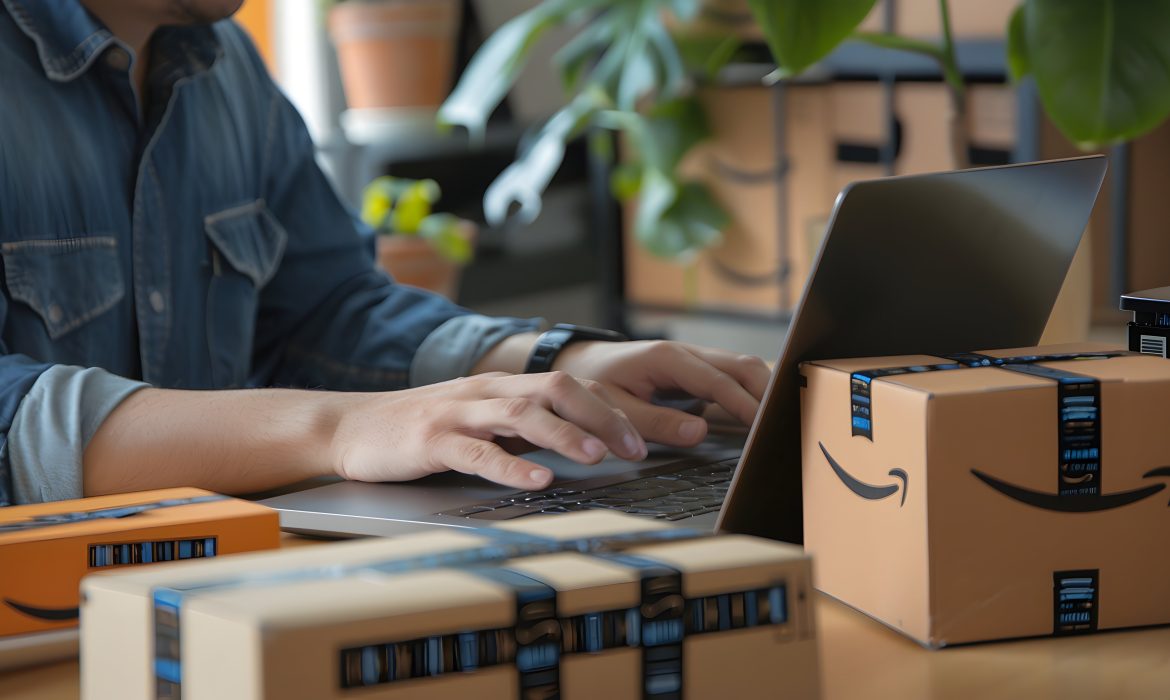
Two popular fulfillment models for eCommerce businesses are Fulfillment by Amazon (FBA) and drop shipping. Although these models may seem similar at first glance, they differ significantly in inventory management and order fulfillment. Understanding these differences is crucial for online store owners who want to choose the best approach for their business.
We’ll compare Amazon FBA and dropshipping, discussing their definitions, shipping costs, pros and cons, and providing recommendations on which model may be better suited for your eCommerce needs.
What is Amazon FBA?
Fulfillment by Amazon (FBA) is a service offered by Amazon that handles various aspects of online selling, including storage, order fulfillment, returns, and customer service. FBA is widely popular, with around 89% of Amazon sellers utilizing this service. Whether selling private label products or engaging in retail arbitrage, Amazon ungate offers an efficient way to manage your Amazon business.
Benefits of Amazon FBA
- Brand Recognition: Selling through Amazon provides instant brand credibility due to Amazon’s established reputation and massive customer base.
- Prime Shipping: FBA allows sellers to offer Amazon Prime’s fast delivery service, which can increase sales by appealing to Prime members.
- Customer Service: Amazon handles all customer service inquiries, returns, and refunds, allowing you to focus on growing your business.
- Inventory Management: FBA provides low inventory alerts, helping you keep track of stock levels.
- Scalability: As your business grows, FBA can scale with you, handling larger volumes of orders with ease.
Drawbacks of Amazon FBA
- High Competition: FBA is used by millions of sellers, making competition fierce.
- Packaging and Branding Limitations: Amazon imposes strict guidelines on packaging and branding, limiting customization options.
- Single-Channel Selling: FBA is primarily for Amazon orders, though there is a Multi-Channel Fulfillment (MCF) option for other platforms.
- Lack of Direct Customer Contact: Amazon controls customer data, limiting your ability to build direct relationships with buyers.
Despite these challenges, the benefits of Amazon FBA often outweigh the drawbacks, especially for those looking to scale quickly within the Amazon ecosystem.
What is Dropshipping?
Dropshipping is a business model where the seller lists products for sale online but does not keep any inventory on hand. Instead, when a customer places an order, the seller purchases the item from a supplier who then ships it directly to the customer. This model is popular among Amazon, eBay, and Shopify sellers due to its low upfront costs and ease of entry.

Benefits of Dropshipping
- Low Startup Costs: Since you don’t need to purchase inventory upfront, dropshipping requires minimal initial investment.
- Reduced Responsibility: The supplier handles shipping and fulfillment, allowing you to focus on managing your online store.
- Location Independence: You can run a dropshipping business from anywhere, provided you have reliable communication with your suppliers.
- No Upfront Inventory Investment: Dropshipping eliminates the need for large initial investments in inventory, making it ideal for those with limited resources.
Drawbacks of Dropshipping
- Slim Profit Margins: The reliance on suppliers often results in lower profit margins, as upselling can be challenging in a highly competitive market.
- High Competition: The low barrier to entry means many sellers may offer similar products, intensifying competition.
- Dependency on Suppliers: Your business depends heavily on suppliers for product quality and shipping accuracy, which can affect your reputation if not managed well.
- Limited Quality Control: Since you don’t handle the products directly, ensuring consistent quality can be difficult.
Key Differences Between Amazon FBA and Dropshipping
The primary difference between Amazon FBA and dropshipping lies in inventory ownership. With FBA, you purchase and own the inventory, which is then stored and managed by Amazon. In contrast, with dropshipping, you don’t purchase inventory until you receive an order, and the supplier ships the product directly to the customer.
- Inventory Ownership: FBA requires upfront investment in inventory, while dropshipping allows you to list products without holding any stock.
- Order Fulfillment: Amazon handles fulfillment and customer service for FBA sellers while dropshipping relies on suppliers to fulfill orders.
- Customer Service: FBA offers Amazon-managed customer service, whereas dropshipping requires the seller to manage customer interactions and returns.
- Returns Management: With FBA, returns are handled by Amazon, while dropshipping sellers must manage their own returns process, often without the option of returning items to the supplier.

Final Recommendations
Choosing between Amazon FBA and dropshipping depends on your business goals, resources, and preferred level of involvement in inventory management.
- Amazon FBA is ideal for sellers looking to build a scalable, brand-focused business with the support of Amazon’s extensive logistics network. It is particularly suitable for those who can invest upfront in inventory and want to benefit from Amazon’s brand recognition and customer service.
- Dropshipping is best for entrepreneurs with limited initial capital or those seeking a low-risk way to enter the eCommerce space. It offers greater flexibility and lower financial risk but requires careful management of supplier relationships to maintain product quality and customer satisfaction.
Conclusion
Deciding between Amazon FBA and dropshipping depends largely on your business goals, available resources, and the level of control you wish to maintain over your operations. Amazon FBA offers scalability and brand recognition, making it an excellent choice for businesses looking to grow quickly within the Amazon marketplace. On the other hand, dropshipping provides flexibility and lower startup costs, making it ideal for entrepreneurs seeking a low-risk entry into eCommerce.
At U-COMMERCE, we help sellers navigate these critical decisions. Whether you choose Amazon FBA or dropshipping, our Amazon experts will guide you through Amazon listing, improving product visibility, and driving sales on Amazon. With our tailored strategies, we ensure that your chosen fulfillment model aligns with your business objectives, setting you up for long-term success in the competitive eCommerce landscape.

Amazon On-Box Ads: An Exciting Way to Increase your Visibility
E-commerce companies are always searching for new and creative approaches to boost sales and expand their customer base. Standard sponsored products, amazon sponsored ads, brands, and sponsored display advertisements function well, but to continuously engage customers, advertisers must attempt a variety of experimental techniques.
One of these experimental tactics is Amazon On-Box advertising, which the company introduced in 2015. With this inventive tactic, Amazon conveys the brand message to customers by transforming its delivery boxes into distinctive, branded packaging.
This blog post explains Amazon On-Box Advertising and explains how it can raise brand recognition for your online store!
Amazon On-Box Advertising: What Is It?

With the use of a creative marketing approach called Amazon On-Box Advertising, a regular shipping box may become a dynamic advertising space.
In an experiment, Amazon started this service in 2015 to let marketers place branded content and ad creatives directly on their delivery boxes.These boxes serve as miniature billboards, providing brands with an exceptional chance to connect with consumers at the most anticipated time of product arrival.Customized designs, interactive features, and experiential factors make the box more than just a container in on-box advertising campaigns.
Companies work with the Amazon Ads team to develop these eye-catching packaging designs, which frequently feature games, drawings, and coupons that consumers can post on social media to boost brand interaction. Such advertising surpasses conventional commercials by drawing in customers at the door and generating enthusiasm during the unpacking process.
Additionally, Amazon Ads has enhanced the physical-digital interface by introducing augmented reality (AR) experiences.
It may be found in the United States, Canada, the United Kingdom, France, Germany, Spain, Italy, Japan, India, and Australia.
Amazon On-Box Advertising: Benefits
Product packaging that conveys your brand message can leave a favorable, long-lasting impact on consumers.
Here are some advantages of Amazon On-Box advertising, along with actual case studies of firms that have effectively utilized it.
1) Enhances Memory of Brand
When their products are delivered, most customers are delighted.On-box advertisements can capitalize on this feeling of elation by offering a distinctive and customized brand message that consumers will recall.
For instance, the cat food company Whiskas collaborated with Amazon Advertising to design personalized boxes that consumers can use to turn their cats’ roller coasters, castles, or offices.
Customers were also redirected by the boxes to a landing page where they could browse merchandise, view movies, and participate in a social media competition.
This improves brand remember and offers a distinctive consumer experience.
2) Boosts the reputation of the brand
On-box commercials elevate the ordinary act of receiving a delivery to a surprising experience. This favorable correlation plays a role in fostering brand loyalty.
For instance, the automaker Chevy partnered with Amazon Advertising to showcase the new Silverado truck by having it burst through the side of Amazon packaging.
3) Increase traffic and conversions
Customers who see On-Box ads are sent to your website, Amazon storefront, or landing page, which increases traffic and conversions.
For instance, Nintendo, a well-known game company, collaborated with Amazon Advertising to design unique boxes featuring Mario and Luigi in honor of Super Mario’s 35th anniversary.
Customers may browse similar products and view a timeline of the franchise’s history on the landing page that was linked in the boxes.
4) Reach a wide range of people
Reaching a broad and varied audience of Amazon customers with a range of interests, demographics, and geographic locations is another benefit of using online advertisements.
For instance, the film studios Universal Pictures and Illumination Entertainment collaborated with Amazon Advertising to create vivid yellow boxes adorned with cartoon characters to promote the debut of “Minions.”
Social media photographs of the boxes shared by customers of all ages created a buzz and enthusiasm about the promotion.
5) Increase awareness of your brand
Through the exposure of your brand name, logo, and slogan to the intended demographic, on-box advertisements can help you increase brand recognition.
For instance, to increase brand exposure and familiarity, the beauty company L’Oréal Paris collaborated with Amazon Ads to design unique boxes with their logo and tagline, “Because you’re worth it.”
What is the process for beginning Amazon On-Box Advertising?
Access to Amazon On-Box advertising is restricted to certain users. To verify their eligibility, brands need to get in touch with Amazon.
Following verification of eligibility, Amazon completes the brand’s contract. After that, brands can create the packaging box’s creative messaging.
Upon approval by Amazon, these advertisements are printed on the box following the terms of the contract.
Conclusion
Brands need to understand that the post-purchase phase of the conversion funnel—which includes advocacy and loyalty—is the main focus of On-Box advertising.
Although QR codes on packaging can drive interested parties to a business, On-Box advertising’s primary effect is raising brand awareness among a wider audience.
The best aspects of offline and online brand contact are combined in online advertising. It can become a crucial component of your omnichannel marketing campaigns with some careful planning, testing, and fine-tuning!
If you’re looking to improve your Amazon advertising, why not go all in and do it right? Whether you’re starting with ads, consider bringing in our Amazon experts to help.
Advertising can make a difference in promoting and attracting an audience to your brand. That’s where our Amazon Advertising experts come in. We’ll brainstorm ideas, design engaging visuals, and write persuasive copy that grabs attention and keeps customers from scrolling. So, why settle for mediocre Advertising when you can have something truly outstanding?

Your Ultimate Guide to Amazon FBA Inspections
Selling on Amazon offers significant opportunities, but it also presents challenges, especially when it comes to meeting Amazon’s strict standards for product quality and packaging. To navigate these challenges, Amazon FBA Inspection becomes an essential process for sellers. By thoroughly inspecting products before they are shipped to Amazon’s fulfillment centers, sellers can identify and resolve any potential issues, ensuring a seamless process and avoiding costly rejections.

What is an Amazon FBA Inspection?
Amazon FBA (Fulfillment by Amazon) Inspections ensure that products delivered to Amazon’s fulfillment centers meet the company’s rigorous quality standards and specific FBA requirements. For sellers handling smaller inventories, these inspections might be conducted internally. However, larger sellers, or those with complex or diverse product lines, often rely on third-party Amazon FBA prep services or specialized quality inspection companies. This is especially crucial for imported products, where compliance with Amazon’s rules is paramount. An effective FBA inspection demands a deep understanding of Amazon’s FBA requirements and expertise in logistics, warehousing, fulfillment, and quality control.
Who Needs FBA Inspection Services?
Transitioning to FBA can be challenging for brands with established fulfillment strategies. However, for nearly all Amazon sellers, FBA is crucial to success. FBA can level the playing field against larger competitors, improve customer service, and reduce costs. By allowing Amazon to handle fulfillment, sellers can focus on their core strengths—product quality and innovation—while also benefiting from the advantages of FBA.
FBA offers several significant benefits, including Prime eligibility, which can boost sales by 50-100%. Additionally, Amazon’s position as the largest shipper in the U.S. enables it to offer the lowest shipping rates, passing these savings on to FBA sellers. This often results in much lower shipping costs compared to those incurred by Fulfilled by Merchant (FBM) sellers, who might need to raise prices or accept lower profit margins. Moreover, Amazon handles most customer service inquiries and takes responsibility for late shipments, allowing businesses to concentrate on product development rather than customer service.
Given the complexities of fulfillment and the risks associated with non-compliance, FBA inspections are vital. Poorly managed inventory can negatively impact a company’s bottom line, but proactive FBA inspections can help sellers avoid costly mistakes and penalties. Experienced inspectors ensure that products comply with Amazon’s FBA guidelines, helping to keep inventory in stock and avoiding the fees associated with non-compliant inventory.
Why is Amazon FBA Inspection Important for Sellers?
Many sellers struggle to meet Amazon’s stringent FBA requirements, leading to product or batch rejections due to non-compliance. Amazon FBA inspections help ensure a smooth selling experience by handling all necessary compliance checks before products reach Amazon’s warehouses.
There are several key benefits to ensuring your products are inspected according to Amazon’s FBA standards:
- Minimizing Rejection Risks: Adhering to Amazon’s inspection standards reduces the likelihood of your products being rejected upon arrival at Amazon’s fulfillment centers, avoiding delays, increased costs, and logistical complications.
- Cost Savings: Inspections help prevent rejections and returns, which can incur additional shipping, handling, and storage costs. Ensuring that your products are accepted on the first attempt saves money and time.
- Maintaining Product Quality: Regular inspections help maintain high product quality, which can enhance your brand’s reputation, reduce return rates, and improve customer satisfaction.
- Boosting Visibility and Sales: Consistently meeting quality and packaging standards can lead to positive reviews and higher product ratings, improving your product’s ranking on Amazon and increasing visibility and sales.
What Does an Amazon FBA Inspection Service Include?
When selling through Amazon’s Fulfillment by Amazon (FBA) program, sellers must adhere to numerous requirements before sending their inventory to Amazon’s fulfillment centers. These requirements ensure that products meet Amazon’s quality and preparation standards, helping sellers avoid product refusals, returns, or repackaging, which can result in additional fees for non-compliance. A comprehensive FBA inspection and preparation plan focuses on general guidelines applicable to all FBA seller service goods and any specific packaging requirements based on the product type or category.
Key Components of an FBA Inspection
1. Unique FNSKU Labeling:
Every product stored in an Amazon warehouse must have a unique Fulfillment Network Stock Keeping Unit (FNSKU). The FNSKU label identifies a product as part of Amazon’s FBA program and is linked to the seller’s SKU. Sellers with similar items that vary by size, shape, or color must assign a unique FNSKU to each product variation. Additionally, each package must feature an external barcode or label that is easily accessible and scannable.
2. Product-Specific Packaging Rules:
Packaging rules can vary depending on the product type. If an item falls into multiple categories, it must be prepared according to the regulations of each applicable category. Amazon may require additional measures, such as extra taping or limits on case quantities, to ensure that products are fulfilled efficiently and arrive in good condition. Products with expiration dates must have the date marked in the MM-DD-YYYY format on both the individual unit and the shipping container.
3. Customization of FBA Inspections:
FBA inspections are typically tailored to the seller’s products and may focus on different aspects depending on the seller’s needs. Inspectors may ensure that all parts necessary for final assembly are included and that the product is appropriately packaged. For instance, loose products sold together must be contained within one package, and units sold as sets must be labeled with “Sold as Set” or “Do Not Separate.” Boxes used for packaging must be sufficiently strong, and items in poly bags or bubble wrap must meet specific size, labeling, and protection requirements. Sharp or fragile items may require double-boxing to meet Amazon’s FBA standards.
4. Comprehensive Inspection Reports:
After an FBA inspection, sellers receive a detailed report that confirms compliance with Amazon’s requirements and identifies any deficiencies. The report may highlight quality concerns that could affect customer satisfaction or consistency issues between items. It typically evaluates how well the manufacturer adheres to Amazon’s labeling requirements, including FNSKUs, expiration dates, and size standards. Additionally, the report may include a measurement section that details any discrepancies in product dimensions, weights, or carton sizes that do not align with Amazon’s FBA rules. Many third-party inspection services include photographs in the report to help sellers quickly and efficiently address any issues, saving time and money.
How is the Amazon FBA Inspection Conducted?
Third-party services typically conduct Amazon FBA inspections at the end of the production phase. Experienced inspectors are dispatched to check your products for:
Compliance with Amazon FBA Quality Standards: Ensuring products meet the quality requirements specified in Amazon’s FBA guidelines.
Packaging Quality: Verifying that packaging meets Amazon’s FBA standards to protect products during shipping.
Proper Labeling and Markings: Ensuring that all necessary labels, such as FNSKU labels, suffocation warnings, and carton labels, are accurate and legible.
Overall Product Workmanship: Checking the general quality and finish of the products.
Accurate Measurements and Weights: Confirm that products meet Amazon FBA regulations regarding dimensions, weights, and GSM (Grams per Square Meter) requirements.
Benefits of an Amazon FBA Inspection
Although Amazon does not mandate pre-inspection of products before they enter their warehouses, investing in an Amazon FBA inspection offers several key benefits:
1. Ensures Compliance with FBA Requirements:
An inspection guarantees that your products meet Amazon’s FBA standards, helping to maintain smooth business operations and avoid potential issues.
2. Reduces Defective Products:
Inspections help identify and prevent defective products from reaching Amazon’s warehouses, safeguarding your brand from negative reviews and customer dissatisfaction.
3. Ensures Proper Packaging:
Inspections ensure that your products are adequately packaged to withstand the shipping process, reducing the likelihood of returns or damaged goods.
4. Verifies Correct Labeling:
Inspection services check that all labels are accurate, legible, and meet Amazon’s FBA standards, ensuring smooth processing at fulfillment centers.
Essential Checklist for an Amazon FBA Inspection
Booking a pre-shipment inspection is crucial for ensuring a successful product shipment to Amazon FBA warehouses. Here are the essentials to include in your Amazon FBA inspection checklist:
1. Verified Shipment:
Ensure that the products being shipped match the details of your order.
2. Verified Quantity:
Confirm that the number of products in the shipment matches the ordered amount, ensuring accuracy.
3. Correct Packaging, Labels, and Barcodes:
Verify that the shipment includes the correct packaging, labels, and barcodes, meeting Amazon’s requirements.
4. Quality Control Checklist:
Include a quality control checklist to ensure your products meet your business’s quality standards. This may involve checking for visual imperfections, verifying product functionality, confirming dimensions and weights, and identifying any defective items.

Final Thoughts
At U-COMMERCE, our mission is to help Amazon sellers not only meet but exceed the platform’s rigorous standards, ensuring your products stand out in a competitive marketplace. By offering comprehensive Amazon seller services, we enable our clients to deliver top-quality products that consistently meet Amazon’s high expectations. This dedication to excellence ensures that our clients can be proud of their Amazon presence and confident that their brand is synonymous with quality, reliability, and success. When you partner with us, you’re choosing a company committed to helping you thrive on Amazon and making your brand something you can be truly proud of.

Why Amazon Sponsored Ads Are a Game-Changer in 2025
In the dynamic and ever-evolving world of eCommerce, staying competitive on platforms like Amazon requires more than listing your products and hoping for sales. The marketplace is flooded with sellers offering similar items, making it increasingly challenging to stand out. Amazon Sponsored Ads can be a game-changer for sellers who want to boost visibility, increase sales, and build a successful brand presence. In 2025, leveraging these ads will become an essential strategy for sellers looking to thrive in a competitive environment.
This blog dives into why Amazon Sponsored Ads are indispensable, their benefits, how to optimize them, and strategies to ensure a strong return on investment (ROI).
The Core Benefits of Amazon Sponsored Ads
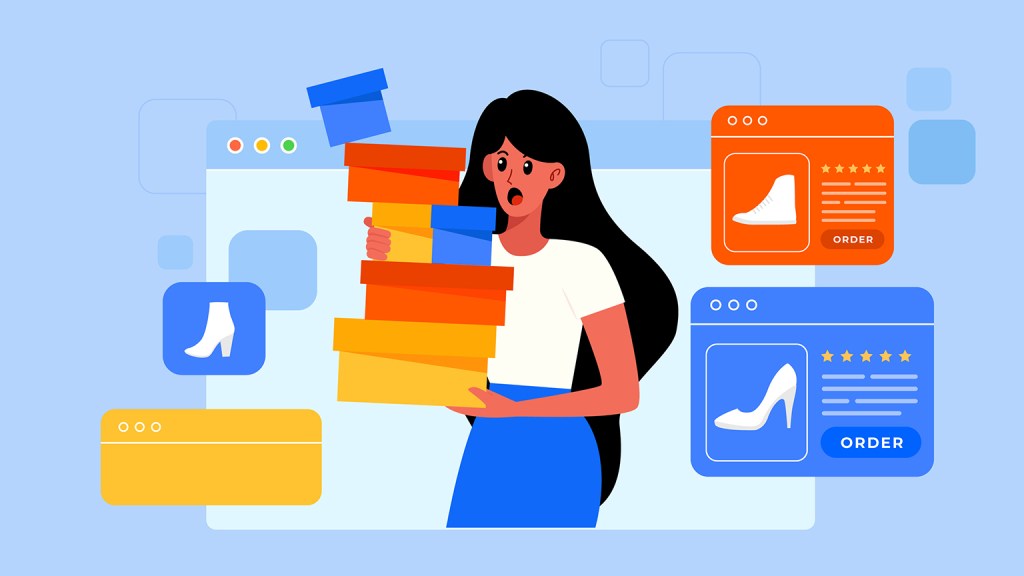
Amazon Sponsored Ads offer several advantages that make them a vital tool for sellers:
1. Increased Visibility in a Crowded Marketplace
Amazon Sponsored Ads ensure that your products appear prominently in search results and on product pages. Given the fierce competition on the platform, this visibility is critical. Sponsored ads can place your product in front of potential buyers at the right time—when they are actively searching for similar products—thus increasing the chances of a sale.
2. Cost-Effective Targeting
One of the greatest strengths of Amazon Sponsored Ads is their cost-per-click (CPC) model. Sellers pay only when their ad is clicked, ensuring that advertising budgets are spent efficiently. Additionally, Amazon allows precise targeting through keywords, product categories, and competitor ASINs, enabling sellers to reach the right audience.
3. Improved Organic Rankings
Amazon’s algorithm prioritizes products with strong sales performance. By increasing sales through Sponsored Ads, sellers can boost their product’s organic ranking. This means that even after a campaign ends, products can continue to benefit from increased visibility.
4. Diverse Advertising Options
Amazon provides various ad formats tailored to different goals:
- Sponsored Products: Promote individual product listings.
- Sponsored Brands: Showcase your brand, logo, and product range.
- Sponsored Display: Retarget shoppers who viewed your product or similar ones.
5. Enhanced Brand Recognition
For sellers looking to establish a brand presence, Sponsored Brands and Display Ads are invaluable. These formats allow you to highlight your brand’s identity, creating a lasting impression on customers and building trust over time.
Optimizing Amazon Sponsored Ads for Maximum Results
While the benefits of Sponsored Ads are clear, achieving success requires strategic planning and continuous optimization. Below are actionable tips to help sellers maximize their ROI:
1. Choosing the Right Keywords
Keyword selection is the cornerstone of a successful Sponsored Ad campaign. Sellers should focus on three main match types:
- Broad Match: Targets a wide range of search queries but may include irrelevant clicks.
- Phrase Match: Ensures ads appear for search terms that include your chosen keyword phrase.
- Exact Match: Provides precise targeting for higher conversion rates.
Incorporating long-tail keywords—such as “sustainable bamboo cutting board—helps capture niche audiences and face less competition, resulting in better conversion rates.
2. Leveraging Automatic Campaigns
Amazon’s automatic campaigns are a great way to gather keyword data. By analyzing the performance of these campaigns, sellers can identify high-performing keywords and transfer them to manual campaigns for better control and targeting.
3. Structuring Campaigns Effectively
Organizing campaigns into distinct ad groups based on product type, category, or target audience ensures better performance tracking. For example, separate campaigns for “new arrivals” and “best sellers” can help sellers allocate budgets more effectively.
4. Bid Optimization
Adjusting bids based on keyword performance is essential. For high-performing keywords, increase bids to maximize impressions and conversions. Conversely, reduce bids for underperforming keywords to minimize wasteful spending.
5. Utilizing Negative Keywords
Adding negative keywords prevents your ads from appearing for irrelevant searches, saving money and improving overall campaign efficiency. For instance, if you sell premium handbags, adding “cheap” as a negative keyword ensures your ads don’t target bargain hunters.
6. Monitoring and Analyzing Metrics
Key performance indicators (KPIs) such as click-through rate (CTR), conversion rate, and Advertising Cost of Sales (ACoS) should be monitored regularly. These metrics provide insights into what’s working and what needs improvement.
Advanced Strategies for 2025

As Amazon continues to evolve, so do its advertising tools and the strategies required to maximize their potential. Here are some advanced tactics to stay ahead in 2025:
Retargeting with Sponsored Display Ads
Sponsored Display Ads allow sellers to retarget shoppers who have previously interacted with their products or viewed similar ones. Retargeting is a powerful way to re-engage potential customers and close sales that might have otherwise been lost.
1. A/B Testing Ad Creatives
Experimenting with different ad creatives, headlines, and images can help determine which elements resonate best with your target audience. Continuous A/B testing ensures that your campaigns remain optimized and relevant.
2. Incorporating Video Ads
Video ads have become increasingly popular due to their ability to convey more information in an engaging format. Consider adding product demonstration videos or customer testimonials to your Sponsored Brands campaigns.
3. Capitalizing on Seasonal Trends
Aligning campaigns with seasonal trends, holidays, or major shopping events like Prime Day can significantly boost sales. Tailor your ad copy and images to reflect these themes and attract more shoppers.
Common Mistakes to Avoid
Even with the best strategies, certain pitfalls can undermine the effectiveness of your Sponsored Ads. Avoid these common mistakes:
1. Ignoring Campaign Performance: Regular monitoring and adjustments are critical for success. Neglecting campaigns can lead to wasted budgets and missed opportunities.
2. Failing to Update Keywords: The relevance of keywords changes over time. Regularly updating your keyword list ensures that your ads remain effective.
3. Overlooking Product Listings: Even the best ads won’t convert if your product listings are poorly optimized. Ensure high-quality images, compelling descriptions, and competitive pricing.
4. Mismanaging Budgets: Allocate budgets strategically to avoid overspending on low-performing campaigns.
Measuring Success: KPIs to Track
Understanding the impact of your campaigns is crucial for refining your strategy. Focus on these key metrics:
- ROAS (Return on Ad Spend): Measures the revenue generated from your ad spend.
- ACoS (Advertising Cost of Sales): Indicates the percentage of sales spent on ads.
- CTR (Click-Through Rate): Reflects the percentage of ad impressions that resulted in clicks.
- Conversion Rate: Shows the percentage of clicks that led to a purchase.
High-performing campaigns typically have a low ACoS and high ROAS, indicating efficient use of your advertising budget.
Overcoming Challenges in 2025

Managing Amazon Sponsored Ads can be resource-intensive, especially for small and medium-sized businesses. Challenges such as increased competition, fluctuating CPC rates, and evolving algorithms require sellers to remain adaptable and proactive.
Consider outsourcing campaign management to experts or using advanced tools like Amazon Advertising Console for better insights and automation. Staying informed about the latest trends and continuously refining your approach is essential for long-term success.
Conclusion
Amazon Sponsored Ads offer unparalleled opportunities for sellers to increase their product visibility, drive sales, and build a strong presence in the competitive e-commerce landscape. However, crafting successful campaigns requires expertise, continuous optimization, and a deep understanding of Amazon’s dynamic algorithms.
At U-COMMERCE, we specialize in helping sellers navigate the complexities of Amazon advertising. With our strategic approach to Amazon SEO, tailored ad management, and performance analytics, we empower businesses to achieve their sales goals and maximize their return on investment. Partner with U-COMMERCE today and let us transform your Amazon Sponsored Ads into a powerful tool for business growth.
Amazon Vine Program 2025: An Ultimate Breakdown Guide
Not getting the right reviews? Want to achieve a better ranking on honest reviews? Then the Amazon Vine Program is for you, which will help you get the right reviews for your Amazon products.
Customer reviews are a very important aspect of growing your business. We create products for customers and if they are not delighted then our business will not reach its maximum height. And to get customer’s interest in your product, they need assurance of your product’s best quality. For that, they rely on your product reviews.
Hence, product reviews play a vital role in getting more sales and customers to your products. If you get one negative review, your sales can decline. So for that, we need a lot of honest reviews which can hype up your sales.
In short, Amazon Vine will connect you with multiple reviewers who will review your product and help you grow your Amazon Business and Brand Awareness. We will dive deep into the blog to know everything about Amazon Vine.
What is Amazon Vine?
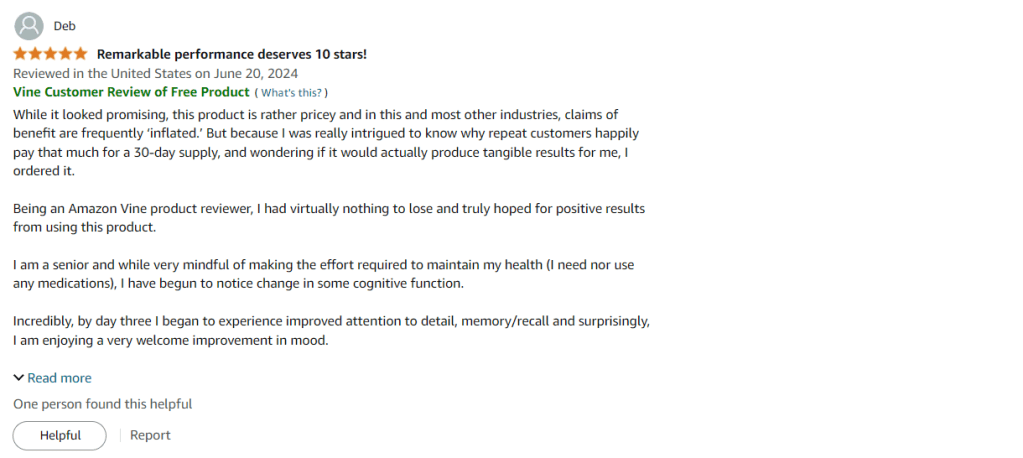
Amazon Vine is a program run by Amazon. It is an invitation-only program. In this program, a few selected reviewers are called Vine Voices. These Vine Voices are given free products from the participating vendors/sellers in exchange for getting honest reviews from those Vine Voices.
These Vine Voices are chosen by Amazon depending on their reviewing skills/ranks and the helpfulness of their reviews so far.
How does Amazon Vine work?
Following are the detailed steps of how Amazon Vine works:
- Seller’s Enrollment: Sellers who want to get reviews need to enroll their products with the Amazon Vine Program.
- Product Selection: The product selection is carried out by Amazon front he enrolled the seller’s list based on product category, demand from the customer, reputation of sellers, etc.
- Invitation to Vine Reviewers: Amazon then extends invitations to the Vine Reviewers namely Vine Voices.
- Selection from Reviewers: Vine Voices can choose the products they want to create reviews for our of those invitations. They have limited choices to make for a fair chance to all as well as sellers.
- Product Shipment: Once Vine Voices has made its decisions, Amazon then delivers those products directly from sellers to the reviewers to review. These products are sent free of charge to them.
- Review Submission: After successfully getting the product shipments, Vine Voices then uses the product and later on submits the review of the same which is beneficial for both i.e. sellers and customers. There is a timeframe for Vine Voices to submit their reviews as soon as possible.
This is how Amazon Vine programs work in helping sellers get valuable and honest reviews on their products.
How to get started with the Amazon Vine Program?
1. Log in to your Amazon Seller Central account and go to the Advertising tab.
2. Under the Advertising tab, you will get an option of Vine, select the same.

3. Then in the right corner, enter the ASIN in the search box and select the number of units you want to enroll with Amazon Vine.
4. Once the ASIN gets registered, you can then easily track the progress through the enrollment details page by selecting the Details button.
5. Amazon has recently increased the enrollment ASIN limit from 60 to 200 ASINs allowing brands to enroll more products for the same. Make sure you provide free units to Amazon Vine while enrolling.
6. After enrolling, Vine Voices can request after 24 hours for review.
7. Amazon has 3 levels to experience – Basic Level, Plus Level & Premium Level.
Seller’s Eligibility To Enroll in Amazon Vine Program
The following are the few eligibility criteria for sellers to get themselves enrolled in Amazon Vine:
- You are willing to give away your products for free in exchange for reviews.
- You must have a brand registration of the same on Amazon Seller Central.
- Your particular products should have reviews below 30.
- Your product must be an FBA Offer in NEW Condition.
- Your product listing must have the available inventory.
- Your product must have been launched before the enrollment.
- Your product must have an image and a product description for Vine participation.
Amazon Vine Program Costs For FBA Sellers
The following are a few fees & costs associated with Amazon Vine:
Vine Enrollment Fees/ Product Costs
Amazon charges one-time enrollment fees for parent ASINs depending on the number of units enrolled.
You will be charged after 7 days of getting the first review published.
The following are the fees:
- For 1 to 2 units the fee is $0.
- For 3 to 10 units the fee is $75.
- For 11 to 30 units the fee is $200.
The new fee structure is good for sellers who have fewer reviews. For example, if you have 20 reviews then you just need to pay for another 10 reviews, that’s it.
Shipping Costs
In Amazon Vine, sellers need to give away their products for free to Vine Voices. But FBA Sellers needs to manage the shipping costs for delivering the same to Vine Voices. These costs can be a huge amount for the sellers who have many products enrolled with Vine.
Program Fees
Amazon Vine doesn’t charge any specific fee for the enrollment of sellers. But Amazon FBA Sellers provide their products for free which can be counted as an opportunity cost for their business since they are not selling that unit at full retail prices.
Pros of Amazon Vine
- Sellers can get up to 30 reviews for their product listings easily with the help of Amazon.
- Sellers get higher quality detailed reviews compared to authentic natural short customer reviews.
- Sellers get more practical feedback from the voices which gives a fuller picture of how their product works in terms of customer satisfaction.
- You can get more traffic to your listings as customer reviews boost the overall momentum of your products and brand ranking.
Cons of Amazon Vine
- Reviews with Vine are not guaranteed, or 100% positive all the time. Amazon FBA Sellers need to be prepared for honest reviews with enrollment.
- This program is only available for brand-registered sellers.
- Vine can cost you between $75 to $200 to enroll your products under the same.
Conclusion
Try to enroll your brand with Amazon Vine for better reviews and traffic. However, you don’t have to go it alone. A professional Amazon agency like U-commerce specializes in helping sellers like you navigate the complexities of the Amazon marketplace. With our data-driven approach and Amazon consulting expert guidance, you can focus on what you do best – building your brand and selling amazing products – while they handle the nitty-gritty of overall Amazon optimization.

Accelerate Your Product Launch with Amazon’s Born to Run Program
A smooth product launch is vital for the success of Amazon vendors, but Amazon’s algorithm doesn’t always automatically order new products. That’s where the Amazon Born to Run program steps in, empowering vendors to direct Amazon on how many units of a product should be ordered. However, Amazon also mitigates its risk in case these products don’t sell as expected.
In this article, we’ll break down how the Born to Run program works and weigh its pros and cons.
What is the Born to Run Program?
Born to Run (B2R) is a strategic program designed by Amazon specifically for its vendors. Unlike sellers, vendors can’t independently send products to Amazon and hope for sales. Instead, they depend on Amazon to place orders.
It’s not uncommon for Amazon to delay ordering new products, which can severely disrupt product launches. If Amazon doesn’t place a pre-order for these new products, their release could be delayed by weeks or even months.
This is where the Born to Run program proves invaluable. The program’s goal is to assist vendors in launching new products more efficiently. By signaling to Amazon that a product is expected to perform well, vendors can prompt Amazon to purchase a specified quantity.

How Does the Amazon Born to Run Program Work?
Born to Run allows vendors to request a specific order quantity based on anticipated sales over a 10-week period. If approved, Amazon will place an order for up to that amount. However, this comes with a catch: vendors must agree that unsold stock can be returned or kept by Amazon after the sales period.
To use the program, you need an invitation from Amazon. This is usually received through your Vendor Manager. Once invited, products can be submitted in four steps under Vendor Central:
- Navigate to Vendor Central > Orders > Vendor-Initiated Orders > Born to Run.
- Provide the ASIN and the quantity you want to submit.
- Submit the request for Amazon’s review.
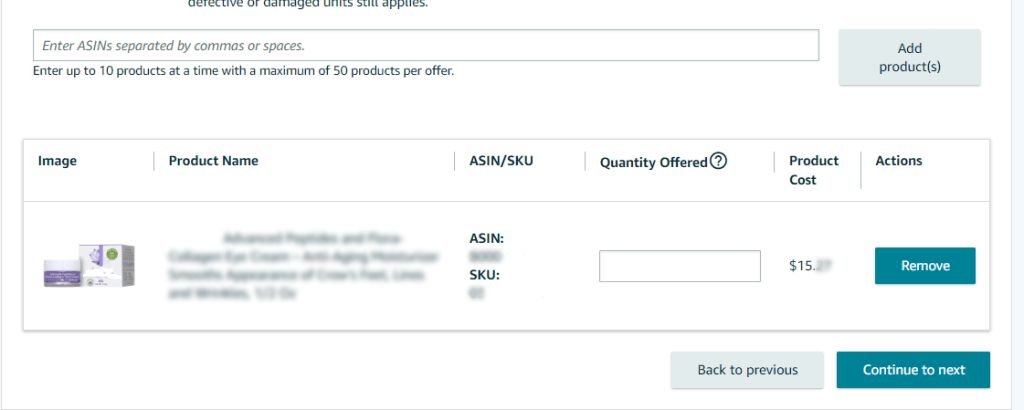


Please note that all ASINs submitted must be created and approved beforehand. The agreement is entirely on Amazon’s terms, including their right to return unsold stock after the 10-week sell-through period, which begins 20 days from your Born to Run submission date.
If you overestimate your order:
- Returns: Amazon will return the unsold units, and you must refund the entire cost of these units plus a 10% handling charge.
- Retention: Alternatively, Amazon will keep the unsold stock, but you’ll incur a 25% retention fee.
These terms highlight the program’s benefits and potential drawbacks.
Eligibility Criteria for Amazon’s Born to Run Program
Here’s who can join the Born to Run program and what you need to know:
- Vendor Status: You must be a first-party seller and part of the Amazon Vendor program.
- Order Limits: The total value of the Launch Buy Quantity cannot exceed $50,000.
- Product Price: Each ASIN must be priced at least $5.
- Product Restrictions: No oversized, heavy, or hazardous items are eligible.
- Invitation Only: Access to the Born to Run program is by invitation, and criteria for selection are not publicly disclosed. Amazon evaluates various factors to ensure the program’s effectiveness.
All ASINs must be pre-approved before submission.
Forecasting the Right Quantity
To make the most of Born to Run, accurate forecasting is essential. Here’s how to fine-tune your estimates:
- Product Launch: Use Amazon Brand Analytics (ABA) to gauge future demand for similar products or review off-Amazon demand if applicable.
- Promotions: Adjust forecasts based on insights from ABA and your own expectations.
- Seasonal Trends: If anticipating a boost due to marketing campaigns, incorporate this expected increase into your forecast.
Evaluating the Benefits of Born to Run
Here are some compelling reasons to consider the Born to Run program:
- Boosted Sales: A large initial order can significantly enhance your sales, reviews, and rankings. Tests have shown that ASINs under Born to Run often see nearly double the sales compared to standard launches.
- No Ad Spend Requirement: Previously, vendors had to spend 10% of the order value on ads. This requirement is now lifted, though Amazon still suggests running ads to boost visibility.
- Reduced Stockout Risk: With Amazon ordering enough stock, you minimize the risk of stockouts, optimizing your sales potential from day one.
- Strengthened Amazon Relationship: Successful launches can demonstrate your product’s value to Amazon, paving the way for a stronger, ongoing partnership.
Conclusion
Navigating the complexities of Amazon’s Born to Run program can be a game-changer for your product launches, offering a streamlined path to success and reducing the risk of stockouts. By leveraging this opportunity, you can secure substantial initial orders, boost your product’s visibility, and strengthen your relationship with Amazon.
However, success hinges on accurate forecasting and a clear understanding of the program’s terms. With careful planning and strategic execution, you can maximize the benefits of Born to Run and set your product up for a successful debut.
At U-commerce, we are dedicated to guiding you through every facet of your Amazon journey. Our team of seasoned Amazon consultant experts is here to help you navigate the Born to Run program, ensuring your product launch is not only smooth but also successful.
Ready to take the next step? Contact us today to unlock the full potential of your Amazon presence and turn your product vision into reality.
Ready to Take the Leap?
Whether you’re navigating the complexities of Amazon’s ecosystem or exploring opportunities like Born to Run, expert guidance can make a significant difference.
At U-commerce, we specialize in Amazon strategies and are ready to assist you at every step. Our team of Amazon specialists and eCommerce experts are here to help you make all of your Amazon ventures a success.