

Maximizing Amazon Success With User-Generated Content (Ugc)
In today’s competitive E-commerce world, standing out on Amazon requires more than just listing great products—it’s about building trust and connecting with potential customers. User-generated content (UGC) has become a key tool for achieving this, providing Amazon sellers with authentic, customer-driven material that elevates their brand. From product reviews to social media posts, UGC has the power to transform how your products are perceived, ultimately boosting sales and fostering a loyal community.
Why UGC Matters for Amazon Sellers

Authenticity Drives Sales
Consumers are increasingly skeptical of traditional advertising. They crave real, unfiltered experiences, and that’s where UGC comes in. When potential buyers see genuine feedback from actual users—whether it’s a review, photo, or video—they trust it far more than a polished ad. This authenticity leads to increased credibility, making shoppers more likely to hit the “Buy Now” button.
The Power of UGC: What It Includes
- Reviews & Ratings: The backbone of UGC on Amazon. Potential buyers rely heavily on these to make informed purchasing decisions.
- Photos & Videos: User-submitted visuals, showcasing products in real-life scenarios, add another layer of authenticity.
- Social Media Content: From Instagram posts to TikTok videos, social platforms amplify UGC and can make your brand go viral.
- Blog Posts: Long-form content from users sharing in-depth reviews or stories can provide deeper insights and connections with your audience.
The Key Benefits of UGC for Amazon Sellers

1. Increased Credibility
UGC acts as social proof—real people sharing real experiences. This boosts your brand’s trustworthiness and enhances buyer confidence. More trust equals more conversions, plain and simple.
2. Wider Brand Reach
When customers share their content, whether it’s a review or a post on social media, they extend your brand’s reach to their audience. This organic exposure can significantly widen your visibility, driving more traffic to your Amazon listings.
3. Boosted Product Rankings
Amazon rewards products with higher engagement. More reviews, photos, and videos mean better rankings in Amazon’s search results. UGC helps create this engagement, pushing your products up the ladder and leading to increased sales.
4. Valuable Insights for Improvement
UGC is more than just a marketing tool—it’s also a goldmine for feedback. Pay attention to what your customers are saying, and you’ll discover valuable insights into what’s working, what isn’t, and how you can improve.
5. Community Building
Encouraging customers to share their experiences helps foster a sense of community around your brand. A loyal community not only boosts repeat purchases but can also become your most powerful marketing asset.
Why UGC Outperforms Traditional Ads
Unlike paid advertising, which can sometimes come off as insincere, UGC delivers a message from one consumer to another. Real stories and real experiences are more believable and relatable than ads created by the brand. Customers are far more likely to engage with content that feels genuine, giving UGC a huge edge over traditional marketing methods.
How to Encourage UGC for Your Amazon Business
1. Run Social Media Contests
Offer incentives for customers to post about your products. For example, run a contest where users submit photos or videos of themselves using your product. Not only do you generate UGC, but you also engage your audience.
2. Create Branded Hashtags
Encourage customers to share their experiences using a unique, brand-specific hashtag. This helps you track UGC and increases the visibility of your brand across social media platforms.
3. Feature Customer Content
Highlight UGC on your Amazon listings, website, or social media pages. This not only rewards customers for contributing but also motivates others to do the same. Featuring real customer experiences can also enhance the authenticity of your product page.
4. Partner with Influencers
Influencers can be a powerful source of UGC. By partnering with individuals who resonate with your target audience, you’ll gain high-quality, authentic content and extend your brand’s reach.
5. Build a Community
Creating a space for your customers to engage with your brand and each other, whether through social media groups or forums, can foster a loyal following. When customers feel connected to your brand, they’re more likely to share their experiences.
Key Factors for Successful UGC
When working with UGC, it’s important to ensure that it ticks several crucial boxes to maximize its impact:
- Authenticity: The content should be real and unfiltered. Original experiences carry the most weight with other potential buyers.
- Visual Appeal: High-quality photos and videos are more likely to catch attention, especially on visually driven platforms like Instagram and TikTok.
- Relevance: Ensure that the UGC highlights your product’s key features or shows how it solves a problem.
- Engagement: Encourage customers to tell their stories creatively and compellingly. The more shareable the content, the wider its reach.
- Adaptability: Great UGC can be repurposed across multiple channels—Amazon listings, social media, email campaigns, and more.
Conclusion
User-generated content is one of the most effective tools Amazon sellers can leverage to boost credibility, engagement, and sales. By encouraging and utilizing UGC, you not only foster a community of loyal customers but also create a valuable asset that extends your brand’s reach and builds lasting trust. As UGC continues to shape buying decisions, sellers must incorporate it into their Amazon marketing strategy for long-term success.
Looking to take your Amazon business to the next level? Let UGC do the heavy lifting while you focus on delivering an exceptional product experience.

Top Strategies for Managing Seasonal Demand on Amazon
The holiday season is fast approaching, and with it comes an influx of online shoppers eager to make purchases for friends, family, and themselves. For Amazon sellers, this period can be both a blessing and a challenge. It presents an opportunity to increase sales, but the competition is fierce, and managing demand effectively is crucial to your success. Preparing ahead of time with the right strategies can help sellers not only survive but thrive during the busiest time of the year.
Here are the top strategies Amazon sellers can use to manage seasonal demand and maintain a strong presence in the marketplace.
1. Start Planning Early Use Data to Forecast Demand

Success during the holiday season begins months in advance. Accurate demand forecasting is the foundation of any strong seasonal strategy. Sellers should begin by reviewing historical data from past holiday periods to understand customer behavior, peak purchasing times, and which products were top sellers. By analyzing year-over-year sales, traffic trends, and overall marketplace dynamics, you can gain valuable insights into what you should stock up on and how much inventory will be needed.
It’s important to use tools like Amazon Brand Analytics, Amazon’s Inventory Performance Dashboard, and third-party software to track real-time sales trends. This helps predict demand more accurately, preventing issues like overstocking or stockouts. Whether you’re selling electronics, fashion, toys, or kitchen products, an accurate forecast helps determine which products to push hard and which to limit in stock. preventing issues like overstocking or stockouts. Whether you’re selling electronics, fashion, toys, or kitchen products, an accurate forecast helps determine which products to push hard and which to prevent issues like overstocking or stockouts. Whether you’re selling electronics, fashion, toys, or kitchen products, an accurate forecast helps prevent issues like overstocking or stockouts. Whether you’re selling electronics, fashion, or toys, or preventing issues like overstocking or stockouts.
Additionally, keep an eye on broader economic indicators, consumer sentiment, and external factors (like shipping delays or supply chain issues) that might influence demand. Flexibility is key—be ready to adapt to changes in demand as the season progresses.
2. Fine-Tune Your Inventory Management System
Inventory is the lifeblood of your Amazon business during the holidays. Having too little inventory can lead to missed sales opportunities and poor rankings while having too much can lead to overstock fees, wasted resources, and tying up capital. Balancing these extremes requires careful planning.
For Fulfillment by Amazon (FBA) sellers, it’s crucial to send inventory to Amazon fulfillment centers well in advance of peak shopping days, such as Black Friday and Cyber Monday. Amazon fulfillment centers often become overwhelmed during this time, so the earlier you stock up, the better. Sellers should also keep an eye on Amazon’s Inventory Performance Index (IPI) score, as maintaining a high IPI ensures smoother inventory management and reduced storage fees.
If you’re handling your own fulfillment, ensure you have efficient warehousing and shipping logistics in place. Invest in technologies that help automate your inventory tracking, and maintain a buffer stock to handle sudden spikes in demand. For larger sellers, working with multiple fulfillment centers or 3PL (third-party logistics) providers can help improve delivery speed and reliability.
3. Optimize Your Product Listings for Maximum Impact

With increased traffic during the holiday season, competition for buyer attention skyrockets. Your product listings need to stand out in a sea of options. Enhancing your product listings with high-quality images, detailed descriptions, and engaging titles can significantly impact your conversion rate.
Start by optimizing your product titles with seasonal and high-converting keywords. Focus on terms related to gifting, such as “perfect gift,” “holiday essential,” or “stocking stuffer.” Tools like Helium 10 or Jungle Scout can help identify trending keywords and phrases that buyers are searching for.
Your product descriptions should be detailed and informative, but also concise enough to keep the reader’s attention. Make sure to list the key benefits, especially if your product solves a common holiday problem, such as quick shipping, unique packaging, or suitability for gifting. Use A+ Content or Enhanced Brand Content (for registered brands) to add comparison charts, lifestyle images, and detailed visuals to showcase the product in use.
Don’t forget about your images—they’re one of the first things customers see. Include holiday-themed imagery, and consider adding infographics that highlight special features or seasonal promotions. Show the product being used in festive settings or as a gift, which can help spark buyer interest.
4. Invest in Targeted Advertising Campaigns
Advertising on Amazon becomes more competitive during peak seasons, so it’s essential to run well-targeted campaigns to stand out from the crowd. Solid Sponsored Products, Sponsored Brands, or Sponsored Display campaigns will increase your visibility, especially for your best-selling products.
Start by allocating a higher budget for the holiday season to cover critical shopping dates like Black Friday, Cyber Monday, and Christmas. Target both high-performing keywords and holiday-specific phrases to capture shoppers who are searching for gifts. If you’ve collected enough customer data, using Amazon DSP (Demand Side Platform) allows for even more targeted ads based on customer interests, demographics, and browsing behavior.
Beyond Amazon, consider expanding your marketing reach with external promotions through social media platforms like Instagram and Facebook. Engage with your audience through festive posts, influencer partnerships, and holiday-themed content. Email marketing is another powerful tool—send personalized recommendations, limited-time offers, and gift ideas directly to your customers’ inboxes.
5. Price Competitively and Offer Seasonal Discounts

During the holiday season, shoppers are on the lookout for deals. Keeping your prices competitive while maintaining a healthy profit margin is essential. Dynamic pricing strategies can help you remain competitive by automatically adjusting your prices in response to market conditions. Using Amazon’s Automated Pricing tool or third-party solutions can ensure that your pricing remains attractive without constant manual intervention.
Offering holiday discounts and promotions can incentivize shoppers to buy alongside competitive pricing. Flash sales, limited-time offers, and bundle deals can help increase conversion rates. Consider creating holiday bundles, where complementary products are sold at a discounted price, or offer buy-one-get-one promotions on popular items.
However, be strategic about when and how you offer these discounts. Dropping prices too early in the season can lead to lost profit, while lowering them too late could mean missing out on prime shopping days.
6. Prepare Your Fulfillment and Shipping Strategy
Fast and reliable shipping becomes a top priority for customers during the holiday season. Delays or mistakes in fulfillment can lead to negative reviews and lost sales. Whether you use FBA or handle shipping independently, ensuring that your fulfillment strategy is optimized for the holiday season is essential.
For FBA sellers, regularly check your inventory status and ensure that you have enough stock in Amazon’s warehouses. Monitor shipping cutoffs for last-minute shoppers and consider enabling Amazon Prime for products, which offers faster delivery options and increased visibility.
If you manage your own fulfillment, now is the time to streamline your logistics processes. Automate order tracking, use reliable shipping carriers, and offer multiple shipping options, including expedited delivery for last-minute purchases. Consider partnering with third-party fulfillment services if your order volume increases dramatically.
7. Stay on Top of Customer Service and Returns
With increased holiday sales comes a rise in customer inquiries and returns. Sellers need to be prepared for a higher volume of customer interactions and potential returns. Providing excellent customer service during this time can lead to positive reviews, repeat customers, and reduced negative feedback.
Ensure your customer service team is well-trained and has clear processes in place to handle questions about product details, shipping times, or return policies. Offering a hassle-free return policy can also boost customer confidence, especially when shoppers are buying gifts for others. Consider extending your return window to accommodate holiday purchases, as many customers expect a more lenient return period.
Additionally, setting up an efficient system for managing and processing returns ensures that returned inventory can be restocked or replaced quickly, minimizing potential losses.
8. Track Performance and Adjust Strategies in Real-Time

As the holiday season unfolds, sellers need to stay agile and responsive. The e-commerce landscape changes rapidly during this time, and your ability to adjust based on real-time data will set you apart from competitors.
Monitor your sales data, ad performance, and customer feedback daily to identify trends, opportunities, and potential challenges. If a particular product is underperforming, adjust your marketing strategy or pricing. If sales are exceeding expectations, consider increasing your ad spend or stocking more inventory.
Amazon’s Brand Analytics and other tools can provide valuable insights into which products, keywords, and campaigns are driving the most conversions. Use this data to make informed decisions and continuously optimize your approach throughout the season.
Conclusion: Make the Most of the Holiday Rush
The holiday season presents a unique opportunity for Amazon sellers to capture a surge in sales, but it also requires careful preparation and strategy. By forecasting demand, managing inventory, optimizing product listings, running targeted ads, and providing exceptional customer service, sellers can maximize their potential during this critical time of year.
Staying flexible and adaptive to the ever-changing e-commerce landscape will not only help you navigate the challenges of peak demand but also set your brand up for success long after the holiday season ends. With these strategies in place, you’ll be well-equipped to handle the pressures of the season and capitalize on the busiest shopping days of the year.

Why It Is Crucial to Focus on Optimizing Your Amazon Listing for Mobile
Ensuring your Amazon listings are mobile-friendly is essential for success in the modern digital world. Since most consumers use smartphones and tablets, making sure your items are mobile-friendly can increase sales dramatically. Amazon listing services are important in this shift, enabling businesses to adjust to the changing landscape. This post examines the benefits of mobile optimization and why it’s imperative to prioritize it for your Amazon business.
The Transition to Online Buying
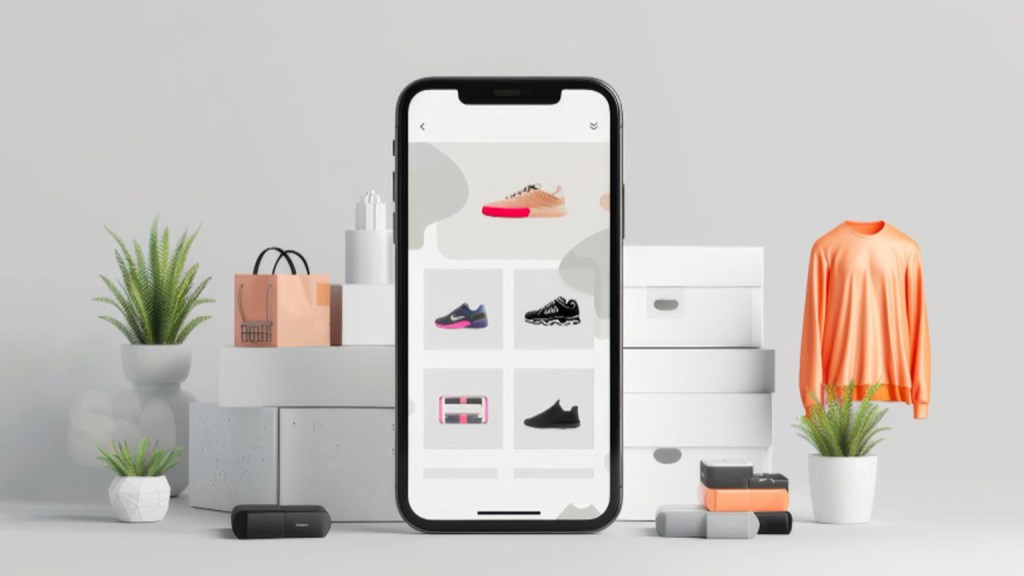
Shopping on your phone is more than a fad. There has been a significant change in customer behavior. The rise of mobile commerce has been exponential in the last several years. More than 60% of US internet buyers use their mobile devices to make purchases, according to recent figures. This change is mostly due to how accessible and convenient mobile shopping is. This implies that a sizable section of potential customers are using their smartphones and tablets for product browsing and purchases, which is good news for Amazon businesses.
Statistics of Growth in Mobile Shopping
The mobile industry has seen positive growth in its purchase statistics. In the year 2023, the mobile commercial industry reached around 73% of total sales worldwide. This trend is likely expected to continue in a positive graph to reach at least $728.28 billion by the year 2025.
In the US alone, more than 310 million people use smartphones, out of which a large percentage prefer to shop from their mobile apps over desktop websites.
While talking about Amazon, as one of the leading e-commerce platforms, it has observed a substantial increase in its mobile users compared to website ones.
The mobile app is ranked among the top shopping apps, with millions of users and dofor mobile to capture a growing audience.wnloads. Hence, this can be a highlight for sellers to make sure they focus on optimizing their Amazon product listings
Use of Amazon’s Mobile Apps

The goal of the Amazon mobile app is to provide a flawless purchasing experience. Users may easily locate and buy products with the app’s one-click ordering, tailored suggestions, and simple navigation features. But to take full advantage of these features, your Amazon product listings must be mobile-friendly.
Customers have less screen real estate when browsing Amazon on mobile devices than when using a desktop computer. This means that the bullet points, Amazon product descriptions, infographic images, and Amazon titles of your products must all be succinct and eye-catching. You can make sure your listings are optimized for mobile users and increase their exposure and appeal in mobile search results by using Amazon listing services.
Improving the User Experience
The goal of mobile optimization goes beyond simply resizing material for a smaller screen. It’s all about improving the user experience overall. Quick page loads, crisp, high-quality photos, and legible content are essential components of a listing that is optimized for mobile devices. Amazon product listing services specialize in creating Amazon listings for mobile customers that offer a seamless and delightful buying experience.
You may raise conversion rates and lower bounce rates by concentrating on mobile optimization. If customers can easily locate the information they require, they are more likely to stay on your product page and make a purchase. Expert services provide all-inclusive solutions to guarantee that your listings are mobile- and desktop platform-optimized.
Increasing the Ranks of Searches
Additionally important to raising your search rank on Amazon is mobile SEO. When determining search results, the platform’s algorithm considers several aspects, including compatibility with mobile devices. Mobile-friendly listings are more likely to rank higher in search results, boosting exposure and drawing in more prospective customers.
You can use best practices for mobile optimization, such as selecting relevant keywords, making engaging titles, and optimizing photos, with the aid of Amazon listing services. You can improve the performance of your listings and obtain a competitive advantage in the market by doing this.
The Advantages of Mobile Optimization
- Enhanced Luminosity
More visibility is one of the main advantages of mobile optimization. Make sure your listings are viewable on smartphones and tablets, as over half of online customers use these devices. Listings that are optimized for mobile devices are more likely to rank higher in Amazon’s search results. This is because listings that offer a better user experience—which is frequently accomplished through mobile optimization, are given preference by Amazon’s algorithm. Increased clicks result from improved visibility, which eventually increases sales.
- Increased Rates of Conversion
Conversion rates can rise if your Amazon listings are mobile-friendly. Mobile consumers frequently seek out easy and quick buying experiences. You may facilitate clients’ decision-making process by offering listings that are easy to read, brief, and visually appealing. With the aid of Amazon listing services, you can produce content that is mobile-friendly and optimized to make it easy for visitors to locate the information they require. Your conversion rates can rise dramatically as a result of this optimized experience.
- Enhanced Client Experience
Maintaining a great client experience is essential to attracting new business and promoting repeat purchases. Listings that are optimized for mobile devices make it easier for customers to explore your product pages, which improves the overall buying experience. Quick loading times, crisp photos, and legible text all add up to a flawless buying experience. Expert services for listing products on Amazon will help you optimize your listings to give mobile users the greatest possible experience. Customer satisfaction increases the likelihood that they will write good reviews and refer people to your items, which will increase sales even more.
Essential Components of Mobile Optimization
It’s crucial to concentrate on important components that improve the mobile shopping experience if you want to completely profit from mobile optimization.
- Mobile-Friendly Photos
Any product listing must have images, especially for mobile devices. High-quality photos that are suited for mobile devices should also be resized for smaller screens. They ought to load swiftly and offer the product in several views. Customers are more likely to make a purchase when they can imagine the product in use thanks to a combination of close-ups and lifestyle photos. The optimization and selection of photographs to make sure they appear fantastic on all platforms can be helped by Amazon listing services.
- Brief and Explicit Product Titles
Product names are important since they draw in potential buyers. Because of the limited space on mobile devices, it’s critical to establish Amazon product titles that are both clear and short. These titles have to give a brief synopsis of the product and contain pertinent keywords. Refrain from employing filler material or superfluous words. The click-through rate and exposure of your listing can be greatly impacted by a well-written headline.
- Important Features in Bullet Point Form
Putting important features in bullet points is a great way to communicate product information to mobile shoppers, who frequently scan it. Customers may easily and quickly comprehend the primary features and benefits of the product by using bullet points. Every bullet point ought to be succinct and focus on a single feature of the product. Long paragraphs are not as reader-friendly on mobile devices as this arrangement is. Creating bullet points that effectively convey the product’s value proposition and persuade customers to buy is something that Amazon listing services can help with.
Your Rival Will If You Don’t Optimize for Mobile

You may be at a serious disadvantage in the cutthroat world of e-commerce if you don’t optimize your Amazon listings for smartphones. The trend of mobile shopping is expanding quickly, and if you don’t keep up with your competitors, they will. Using professional listing services on Amazon helps you to remain ahead of the competition. In addition to enhancing user experience, optimized Amazon listings raise your position in Amazon’s search results. To beat your rivals and draw in more business, make sure your listings are optimized for mobile devices.

An Ultimate Guide to Mastering Amazon Inventory Management
Amazon’s logistics system has revolutionized e-commerce with its advanced inventory management strategies. Amazon Fulfillment Centers are at the heart of its operations—state-of-the-art facilities designed to optimize storage, streamline order fulfillment, and enhance customer satisfaction. These centers are the backbone of Amazon’s business model, playing a crucial role in maintaining its position as the global leader in online retail.
By leveraging cutting-edge technology, robotics, and innovative inventory strategies, Amazon manages to fulfill millions of orders daily while controlling operational costs. In this blog, we’ll explore how Amazon’s Fulfillment Centers operate, their inventory management techniques, and the valuable lessons sellers can learn from them.
How Amazon Fulfillment Centers Operate
Amazon’s owned warehouses are integral to its supply chain, enabling the company to maintain complete control over its inventory. By the end of 2018, Amazon’s property footprint—including warehouse space—spanned over 288 million square feet globally. These facilities are equipped with advanced Warehouse Management Systems (WMS) that organize and manage inventory with remarkable precision.
Unlike traditional storage methods, Amazon employs a random stowing system, placing items wherever space is available. While this may seem chaotic, the system is optimized using algorithms that ensure fast and accurate retrieval of products. Every item’s location is tracked in real-time, allowing Amazon to fulfill orders efficiently.
Key Elements of Amazon’s Inventory Management

1. Maintaining Customer Satisfaction
Efficient inventory management is critical to meeting customer expectations for fast delivery and accurate order fulfillment. By maintaining well-stocked warehouses, Amazon minimizes processing times and ensures orders are delivered promptly.
Amazon’s commitment to transparency enhances customer trust. Through its end-to-end tracking system, customers are informed at every stage of their order journey—from sourcing at the Fulfillment Center to delivery at their doorstep. This visibility not only boosts satisfaction but also reinforces customer loyalty.
2. Reducing Warehousing Costs
Amazon’s innovative storage techniques allow it to maximize warehouse space while minimizing costs. Instead of assigning specific sections for each product, items are stored in the first available spot, reducing the time and labor required for storage.
This strategy also helps Amazon avoid the pitfalls of overstocking or understocking. By using advanced demand forecasting tools, the company maintains an optimal balance of inventory, reducing unnecessary expenses and improving profitability.
3. Ensuring Efficient Delivery
Fast and efficient delivery is a cornerstone of Amazon’s success. The company’s fulfillment centers are strategically located to ensure quick access to key markets. By using a random storage strategy, Amazon ensures that items are always stored in accessible locations, speeding up the retrieval and dispatch process.
Amazon’s Sortation Centers further enhance efficiency by organizing packages by zip codes and routing them for delivery. This ordered system reduces delays and ensures timely deliveries, meeting the expectations of even the most demanding customers.
The Role of Robotics and Automation
Amazon has heavily invested in robotics and automation to enhance the efficiency of its Fulfillment Centers. Robots handle repetitive tasks like moving shelves for human associates, reducing the time spent searching for items. This integration of robotics allows Amazon to process orders faster, with fewer errors, and at a lower cost.
For example, Amazon Robotics enables systematic stowing and sorting of inventory, ensuring that every item is accurately placed and retrieved. By automating these processes, Amazon has set a new standard for operational efficiency in the e-commerce industry.
Inventory Control Techniques Used by Amazon

1. Quick Putaway Process
Amazon’s Quick Putaway Process simplifies storage by placing items in the nearest available space. This strategy eliminates the need to search for specific storage locations, saving time and labor while optimizing warehouse operations.
2. Efficient Order Picking
The random stow system increases the likelihood that ordered items are located near the associate’s current position. This reduces the time spent traversing the warehouse, enabling faster and more efficient order fulfillment.
3. Preventing Stranded and Dead Stock
Amazon actively addresses stranded inventory—items stored in warehouses but not listed for sale—using its “Fix Stranded Inventory” tool. Additionally, the company prevents dead stock, or unsold items, by monitoring sales velocity and forecasting demand. These practices minimize storage costs and maximize warehouse space utilization.
4. Dynamic Capacity Management
Amazon employs a dynamic capacity management system that adjusts storage space based on inventory levels and demand. Sellers with higher Inventory Performance Index (IPI) scores are granted additional storage space, encouraging efficient inventory management.
Amazon’s Inventory Management for FBA Sellers
The Fulfillment by Amazon (FBA) program enables third-party sellers to leverage Amazon’s logistics network, including its advanced inventory management system. Here’s how sellers can benefit:
1. Preparation and Management
FBA sellers must adhere to Amazon’s strict packaging and labeling requirements to ensure smooth processing. Once items arrive at a Fulfillment Center, they are scanned, inspected, and routed for storage. Proper preparation prevents delays and ensures that products are ready for quick dispatch.
2. Utilizing the Capacity Manager
The Capacity Manager tool helps sellers monitor their inventory levels and plan storage needs effectively. By forecasting demand and requesting additional storage space when necessary, sellers can avoid stockouts and overstocking.
3. Managing Excess Inventory
To tackle excess inventory, Amazon offers strategies such as running promotions, increasing ad bids, or creating removal orders. Sellers can also earn performance credits for efficient inventory management, reducing storage fees and enhancing profitability.
Common Inventory Challenges for Sellers
Despite Amazon’s advanced systems, sellers often face inventory management challenges, including:
- High Storage Fees: Overstocking can lead to increased storage costs, while understocking results in missed sales opportunities.
- Stranded Inventory: Items without active listings incur storage fees but generate no revenue.
- Policy Changes: Frequent updates to Amazon’s policies require sellers to stay informed and adapt quickly.
- Aged Inventory Surcharge: Long-term storage fees can significantly impact profitability.
Best Practices Inspired by Amazon
Amazon’s success offers valuable lessons for sellers looking to optimize their inventory management:
- Accurate Demand Forecasting: Used data-driven tools to predict customer demand and maintain optimal inventory levels.
- Efficient Returns Management: Streamline the process for returned items to minimize losses and maintain inventory accuracy.
- Leveraging Data Insights: Regularly analyze sales trends, customer behavior, and inventory performance to make informed decisions.
- Adapting to Seasonal Trends: Adjust inventory levels to meet seasonal demand fluctuations, ensuring availability without overstocking.
- Regular Audits: Conduct periodic audits to identify and address issues such as stranded inventory or aging stock.
Conclusion
At u-commerce, we understand the challenges and complexities of inventory management for Amazon sellers. Drawing inspiration from Amazon’s advanced practices, we help sellers optimize their inventory strategies, reduce costs, and improve operational efficiency. Our team specializes in providing tailored solutions, from demand forecasting to effective storage planning, ensuring your products are always available to meet customer demand.
By partnering with u-commerce, you gain access to expert guidance and proven strategies to navigate the intricacies of Amazon’s fulfillment ecosystem. Let us help you streamline your inventory management, boost your sales, and unlock your business’s full potential on Amazon. Together, we can achieve your e-commerce goals and ensure sustained growth in today’s competitive marketplace.

A Strategic Guide to Managing Your Advertising Budget for Long-Term Brand Success
Think about your retirement plan for a moment. It’s a long-term endeavor requiring careful thought, calculated risk-taking, and diversified investments. Now, imagine putting all your retirement savings into a single stock just because someone recommended it. It feels risky, right? Yet, this approach mirrors how some brands handle their ad budgets, chasing short-term returns without considering long-term sustainability.
At our core, we believe in building lasting brand success by treating ad budgets like retirement funds, focused on long-term growth and stability. Instead of aiming for the highest Return On Ad Spend (ROAS) in the short term, we employ a full-funnel strategy that nurtures growth across every stage of the customer journey.
Understanding the Full-Funnel Advertising Approach

A full-funnel advertising strategy encompasses four critical stages of the customer journey: Awareness, Consideration, Purchase, and Retention. Just as every dollar in a retirement fund is scrutinized for its potential to grow over time, every advertising dollar should be strategically allocated for maximum impact.
This approach moves beyond the short-term wins of high ROAS and focuses on achieving sustainable growth. By adopting a diversified strategy, brands can build a robust foundation for long-term success. Here’s how you can use the full-funnel framework to allocate your ad budget effectively.
Why Diversification Is Key to Ad Budget Success
In financial planning, diversification reduces risk and maximizes returns. Similarly, in advertising, using a mix of campaign types across different goals ensures steady growth. Viewing your ad budget as a portfolio—comprising campaigns for awareness, ranking, efficiency, branded efforts, and automation—creates a balanced strategy.
This diversified approach mimics investing in various financial instruments like stocks, bonds, and real estate, which together work to grow wealth steadily. By focusing on a holistic advertising strategy rather than just short-term ROAS, brands can achieve sustainable growth over time, much like a well-managed retirement fund.
The Five Essential Campaign Types for Success

To build a well-rounded advertising portfolio, focus on these five campaign types:
- Awareness Campaigns
- Rank Campaigns
- Efficiency Campaigns
- Branded Campaigns
- Auto Campaigns
Each campaign type plays a unique role in the customer journey, driving brand discovery, increasing visibility, optimizing returns, and adapting to market trends. Let’s break down the purpose of each type and its contribution to your overall advertising strategy.
1. Awareness Campaigns: Introducing Your Brand
Awareness campaigns are designed to grab the attention of potential customers and introduce them to your brand or product. Think of these campaigns as planting seeds for future engagement. The main goal is not immediate conversions but maximizing visibility through high impression shares and strong click-through rates.
For example, if your brand offers innovative products, awareness campaigns ensure they stand out in a crowded market. These campaigns typically involve display ads, sponsored content, or video ads that create a lasting impression on potential buyers.
2. Rank Campaigns: Climbing the Organic Ladder
Rank campaigns aim to enhance your product’s organic search ranking. By targeting high-converting keywords with exact match targeting, these campaigns improve visibility and authority in competitive marketplaces.
The primary metric for ranking campaigns is conversion rate, as increased conversions lead to better organic placement. A focused approach, such as limiting campaigns to five high-priority keywords, ensures precision and effectiveness in boosting organic rankings.
3. Efficiency Campaigns: Maximizing ROI
Efficiency campaigns are the backbone of your advertising strategy. These campaigns focus on achieving the best possible ROAS by targeting high-intent, non-branded keywords and audiences likely to convert.
By fine-tuning ad placements and leveraging performance insights, efficiency campaigns turn ad spending into measurable outcomes. This approach is particularly effective for generating steady sales while maintaining a strong return on investment.
4. Branded Campaigns: Protecting Your Brand Identity
Branded campaigns defend your brand’s territory by ensuring that searches for your brand name lead to conversions. These campaigns are essential for maintaining customer loyalty and growing your existing customer base.
Focusing on top-performing products and optimizing for conversion rates strengthens your brand’s position in the market. Branded campaigns also help you stay competitive by preventing competitors from encroaching on your brand space.
5. Auto Campaigns: Exploring New Horizons
Auto campaigns are the exploratory arm of your advertising strategy. These campaigns use machine learning to uncover new keywords, placements, and opportunities that can inform your overall approach.
Keyword harvesting is a key component of auto campaigns, providing valuable insights that refine your strategy and ensure continuous improvement. These campaigns keep your advertising efforts adaptive and responsive to changing market dynamics.
Strategic Budget Allocation for Full-Funnel Success
Now that we’ve covered the campaign types, let’s discuss budget allocation. A successful advertising strategy requires careful distribution of funds across each campaign type. Here’s a guideline for allocating your ad budget:
- Awareness Campaigns: 5–10%
These campaigns create initial touchpoints with potential customers, making them crucial for building brand recognition. - Rank Campaigns: 15–25%
Invest in improving your organic search presence to enhance visibility and drive long-term sales. - Efficiency Campaigns: 45–55%
The majority of your budget should go toward efficiency campaigns, as they generate the highest returns by converting ad spending into direct sales. - Branded Campaigns: 15–20%
Protect your brand by allocating funds to campaigns that defend your space and reinforce customer loyalty. - Auto Campaigns: 5–10%
Set aside a portion of your budget for exploratory campaigns to discover new opportunities and adapt to evolving trends.
This diversified approach ensures that every dollar works toward both short-term results and long-term brand growth.
From Planning to Execution: Practical Tips
- Set Clear Objectives: Define specific goals for each campaign type, such as increasing impressions for awareness or improving conversion rates for rank campaigns.
- Use Performance Data: Continuously analyze campaign performance to reallocate budgets and optimize strategies based on real-time insights.
- Embrace Automation: Leverage automated tools for keyword harvesting, bid adjustments, and performance tracking to streamline your efforts.
- Monitor Metrics: Track key performance indicators (KPIs) like ROAS, conversion rates, and impression shares to measure success and identify areas for improvement.
Conclusion: Investing in Long-Term Success
At u-commerce, we believe that managing your ad budget is not just about chasing short-term gains but building a sustainable foundation for long-term success. By adopting a full-funnel strategy and diversifying your campaigns across awareness, ranking, efficiency, branded, and auto categories, you ensure every dollar spent is a step toward lasting growth.
Our expertise lies in helping Amazon sellers like you optimize advertising strategies, improve visibility, and drive sales through smart, data-driven approaches. Just as a well-planned retirement portfolio secures your financial future, a balanced ad strategy safeguards your brand’s future in the competitive e-commerce marketplace. Ready to grow smarter and scale faster? Let u-commerce guide you every step of the way.

Mastering the Amazon Buy Box & Strategies to Prevent Suppression
Buy Box Suppression: Strategies to Retain the Buy Box
The Amazon Buy Box is a critical component of seller success, as it significantly impacts product visibility and customer purchase decisions. However, maintaining the Buy Box is not always guaranteed. Amazon employs Buy Box suppression when no seller meets the required criteria, which can lead to a substantial drop in sales.
So, do you know how to master the Amazon Buy Box and strategies related to the Buy Box?
In this comprehensive guide, we will explore what Buy Box suppression is, its causes, and actionable strategies to keep your listings eligible and competitive.
Understanding Buy Box Suppression
Buy Box suppression occurs when Amazon removes the “Buy Now” and “Add to Cart” buttons from a product listing, even if the product is available for purchase. In such cases, shoppers must click “See All Buying Options” to proceed, adding unnecessary steps to the checkout process.
While this may not seem significant, every additional click increases the likelihood of cart abandonment. A fast and seamless checkout process is key to converting shoppers into buyers, and a suppressed Buy Box hinders that.
For sole sellers, Buy Box suppression is especially damaging. Without the Buy Box, customers might choose a competitor’s product or abandon the purchase altogether, resulting in lost revenue.
Why Does Amazon Suppress the Buy Box?

Amazon suppresses the Buy Box to ensure customers receive the best possible experience, including competitive pricing and quality service. Here are the main reasons for Buy Box suppression:
1. Pricing Discrepancies
Pricing is the most common reason for Buy Box suppression. Amazon’s Fair Pricing Policy requires sellers to maintain competitive pricing, not just on Amazon but across all online platforms.
If the same product is available elsewhere at a lower price, Amazon may suppress the Buy Box to encourage compliance. Additionally, frequent price fluctuations without clear market justification can also trigger suppression.
2. Non-Eligibility for the Buy Box
Sellers must meet specific criteria to be eligible for the Buy Box. This includes maintaining high-performance metrics like seller ratings, on-time delivery rates, and low cancellation rates. Failure to meet these benchmarks can render your listings ineligible.
3. Poor Listing Quality
Incomplete or inaccurate product details, low-resolution images, or failure to follow Amazon’s listing guidelines can result in Buy Box suppression. Amazon prioritizes listings that provide clear, accurate, and compelling information to shoppers.
4. New Seller Accounts
New sellers often face challenges in securing the Buy Box due to limited sales history and a lack of customer feedback. Amazon may suppress the Buy Box until the seller builds a strong reputation.
5. Declining Account Health
Issues such as an increase in order cancellations, negative customer feedback, or unresolved customer inquiries can impact your account health, leading to Buy Box suppression.
6. Prime Shipping Ineligibility
Products not eligible for Amazon Prime shipping are less likely to win the Buy Box. This is because Amazon prioritizes listings that offer fast, reliable delivery options through programs like Fulfillment by Amazon (FBA) or Seller Fulfilled Prime (SFP).
How to Prevent Buy Box Suppression

Preventing Buy Box suppression requires proactive efforts to align with Amazon’s expectations. Here are actionable steps to help you retain the Buy Box:
1. Maintain Competitive Pricing
Regularly monitor your pricing to ensure it remains competitive, both on Amazon and other platforms. By integrating with inventory management tools, you can also monitor profitability and make informed pricing decisions.
Invest time in creating high-quality product listing services that comply with Amazon’s guidelines. Ensure your product titles are concise yet descriptive, use high-resolution images, and provide accurate product descriptions with relevant keywords.
A compelling and professional listing not only prevents suppression but also improves customer trust and conversion rates.
3. Focus on Account Health
Maintain strong seller metrics by minimizing order cancellations, responding to customer inquiries promptly, and encouraging positive reviews. Monitor your Seller Central dashboard regularly to track performance metrics and address any potential issues.
4. Offer Prime Shipping
Enroll in FBA or SFP to qualify for Prime shipping. These programs not only improve your chances of winning the Buy Box but also appeal to customers seeking fast and reliable delivery options.
5. Monitor and Respond to Alerts
Leverage tools to track your Buy Box status and receive real-time alerts for potential issues. These tools can also help identify pricing discrepancies or other factors contributing to suppression, allowing you to address them quickly.
What to Do If You Lose the Buy Box
If your listing experiences Buy Box suppression, it’s essential to act swiftly. Follow these steps to regain your position:
- Identify the Cause: Use monitoring tools to pinpoint why the Buy Box was suppressed. Common triggers include pricing issues, poor listing quality, or account health problems.
- Adjust Your Pricing: Check the Competitive Price Threshold provided by some tools. Adjust your pricing to align with market expectations and regain eligibility if financially viable.
- Revamp Your Listing: Review and improve your Amazon listing, ensuring it meets Amazon’s standards for quality and accuracy.
- Enhance Shipping Options: If you’re not already using FBA or SFP, consider enrolling to qualify for Prime shipping.
By addressing the root cause and making necessary adjustments, you can restore your Buy Box eligibility and minimize sales disruptions.
Conclusion
Buy Box suppression can significantly impact your sales and revenue, but with the right strategies, you can minimize the risk and maintain eligibility. To stay ahead of the competition, focus on competitive pricing, high-quality Amazon listing, and excellent account health.
At u-commerce, we specialize in helping Amazon sellers optimize Amazon listings, enhance visibility, and drive sales. With our Amazon Experts, you can confidently navigate the complexities of the Amazon marketplace and secure your Buy Box position. Contact us today to learn how we can support your eCommerce journey!

Amazon Lightning Deals: How They Work & Are They Worth the Investment
Introduction
Running an Amazon Lightning Deal can be a powerful way to increase sales and drive traffic to your listings. These time-sensitive promotions not only create urgency but also give your products prime visibility on Amazon’s Deals page, which is visited by millions of shoppers daily. However, setting up a successful Lightning Deal requires careful planning, from meeting eligibility requirements to optimizing Amazon listing for maximum impact. In this guide, we’ll walk you through the step-by-step process of creating an Amazon Lightning Deal, along with best practices to ensure your promotion delivers the best possible results.
What is an Amazon Lightning Deal?

An Amazon Lightning Deal is a time-sensitive promotion that allows sellers to offer their products at discounted prices for a short period, typically lasting between 4 to 12 hours. These deals run until either the allocated time ends or the inventory is depleted, creating a sense of urgency for buyers to act quickly. Lightning Deals can boost product visibility as they are featured on prominent Amazon pages, such as the “Today’s Deals” page, or during major shopping events like Prime Day.
For sellers, understanding how Lightning Deals function and how to leverage them can be crucial to maximizing sales and brand exposure.
Are Lightning Deals Different From Deal of the Day?*
While both Amazon Lightning Deals and Deal of the Day offer discounted products, there are key differences. Deal of the Day showcases one or more products with a discount for a full 24 hours, while Lightning Deals run for a few hours or until stock runs out. Also, Lightning Deals requires shoppers to complete their purchase within 15 minutes after adding the product to their cart, or they will lose the deal.
Where Are Amazon Lightning Deals Displayed?

Lightning Deals are prominently displayed on the Amazon Deals page, one of the most heavily trafficked areas of the website. When a Lightning Deal is live, it features the product’s image, title, discount percentage, final price, and a status bar showing how many deals have been claimed. A countdown timer also reminds customers of the limited time they have to grab the deal.
Eligibility Criteria for Amazon Lightning Deals
To qualify for Amazon Lightning Deals, sellers need to meet specific criteria. You must be a professional seller with at least five feedback ratings per month and an overall rating of 3.5 stars or higher. Eligible products must meet the following conditions:
– The product must have a sales history and a rating of at least three stars.
– It must include all variations (e.g., size, color) in the Amazon listing.
– The product should be Prime eligible and in new condition.
– It cannot be a restricted or inappropriate item.
Eligible ASINs are refreshed weekly, so sellers may find different products eligible for Lightning Deals each time they check.
Pros and Cons of Using Amazon Lightning Deals
Like any marketing strategy, Lightning Deals have both advantages and drawbacks.
Pros:
1. Boost in Sales: The urgency of a time-limited offer can lead to a surge in purchases during the promotion.
2. Enhanced Product Visibility: Lightning Deals are featured prominently on Amazon, making it easier for shoppers to discover your product.
3. More Reviews: A sales boost from a Lightning Deal may result in increased customer reviews, improving your product’s credibility.
4. Brand Exposure: Running a Lightning Deal increases brand recognition among potential customers.
5. Competitive Edge: A well-discounted Lightning Deal can give your product an advantage over competitors.
6. Inventory Clearance: If you have excess stock, Lightning Deals can help you clear inventory faster.
Cons:
1. Lower Profit Margins: The steep discount required for a Lightning Deal can cut into your profits.
2. Inventory Management: Sellers need enough stock to meet the demand during the deal or risk paying fees without gaining sales.
3. High Competition: With many sellers participating in Lightning Deals, it can be hard to stand out.
4. Deal Fees: Running a Lightning Deal comes with a fee, usually ranging from $150 to $500, depending on the time of year.
5. Uncontrollable Time Slots: Sellers cannot choose the exact time their deal will run, which could affect the deal’s success.
6. Potential for Poor Performance: There’s no guarantee of high sales, and sellers still pay the deal fee even if their deal doesn’t perform well.
To maximize the success of a Lightning Deal, consider promoting it on social media or through email marketing to reach your existing customers.
Cost of Running Amazon Lightning Deals
The cost to run a Lightning Deal can range from $150 to $600 per ASIN, depending on the timing and anticipated traffic. Sellers can view the specific fee when creating the deal and can later check fees in the “Transaction View” under “Service Fees.”
Three Types of Lightning Deals
1. Prime Early Access Deals: Available exclusively to Prime members, these deals allow early access to promotions before non-Prime members can purchase.
2. Sponsored Deals: These deals are featured prominently, and the seller pays extra to get premium visibility during major sales events. Both Prime and non-Prime members can view these deals.
3. Price Range Deals: Instead of a single discounted price, customers are shown a price range that includes all variations of the product, such as different sizes or colors.
How to Set Up an Amazon Lightning Deal: A Step-by-Step Guide

Now that you understand what an Amazon Lightning Deal is and have weighed its advantages and disadvantages, here’s a detailed guide on how to create one in Seller Central.
1. Confirm Your Amazon Lightning Deal Eligibility
What are the eligibility requirements for a Lightning Deal?
To participate in a Lightning Deal, sellers must have a Professional Seller account and a minimum overall seller rating of 3.5 stars.
Additionally, your product must meet these criteria:
– It should have a sales history on Amazon and a product rating of at least 3 stars.
– It must be eligible for Prime shipping in all regions.
– The product must follow Amazon’s pricing policies.
– It should be unrestricted and suitable for all audiences.
– The product must be in ‘New Condition.’
– Include as many variations of the product as possible.
– Ensure compliance with Amazon’s customer review policies and deal frequency policies.
2. Navigate to the Deals Page in Seller Central
Even if you and your products are eligible, they may not immediately be available for a Lightning Deal. To check, go to the Deals page in Seller Central and click on “Create a new deal.”
3. Select an Eligible Product
If you have a product that qualifies for a Lightning Deal, it will be shown on the screen. You can then proceed to set up your deal.
4. Schedule Your Amazon Lightning Deal
After selecting the product for the Lightning Deal, you will need to choose a date range for the promotion. Amazon doesn’t allow sellers to choose a specific day or time for their deal, but you can view the scheduled time and date in the Deals dashboard one week before it goes live.
5. Configure the Details of Your Lightning Deal
You will then enter the deal’s pricing and the number of units available. Amazon requires a minimum discount of 15%, and they will specify the maximum deal price, the minimum discount, and the minimum number of units that must be included in the deal. If your product has variations, you can choose to include some or all of them in the deal.
6. Submit Your Lightning Deal for Review
Once everything is set, submit the deal for Amazon’s approval. Keep in mind that you cannot control the exact date and time when your deal will go live. If you’re unhappy with the time slot given, you can cancel the deal—just ensure you do so at least 24 hours before the deal goes live.
What if I Don’t Like the Time Slot for My Lightning Deal?
Unfortunately, there is no way to influence the time your Lightning Deal will go live. If the timing doesn’t work for you, cancelling the deal before the 24-hour mark is the only option.
Best Practices for Success
Make sure your product detail page is ready to handle the increased traffic. This includes:
– A keyword-rich, informative title, five well-structured bullet points, and a detailed description that conveys your brand story.
– At least 9 high-quality images, including a hero image, infographics, and lifestyle photos.
– Amazon A plus Content and a video, if possible.
2. Keep Inventory Fully Stocked
Ensure that enough stock reaches Amazon FBA centers at least a week before the Lightning Deal. This ensures the deal runs smoothly and prepares you for the potential post-deal sales boost.
3. Take Advantage of the Halo Effect
Capitalize on the post-Lightning Deal halo effect by continuing to promote the ASIN with Amazon PPC.
4. Use Your Best Sellers
Run Lightning Deals on products that are already successful. Products with established sales and rankings are more likely to benefit from a promotional boost.
5. Amplify the Deal with Sponsored Ads
Promote ASINs participating in Lightning Deals through Amazon Sponsored Ads for increased visibility.
6. Consider Seasonality
Think about the seasonal trends for your products. For example, if you’re selling swimsuits, running a Lightning Deal during the summer is more strategic than doing so in winter.
How to Measure the Performance of Your Lightning Deals
You can assess the performance of your Lightning Deals by visiting the Manage Deals page. Here, you can analyze key metrics like units sold, SKU-specific deal revenue, and total deal revenue.
Are Amazon Lightning Deals Worth It for Sellers?
Determining whether a Lightning Deal is beneficial depends on several factors, including profit margins, the type of product, and your overall marketing strategy. Here are some ways to evaluate whether it’s worth the investment:
1. Consider Your Profit Margins
Lightning Deals require sellers to offer a significant discount, typically a minimum of 15%. If your profit margins are tight, this might not be financially viable. Use Amazon’s FBA Revenue Calculator to check if you’ll still turn a profit after applying the discount.
2. Assess Product Type
Certain products, such as seasonal or short-shelf-life items, are better suited for Lightning Deals. For example, running a deal on holiday-themed products during the holiday season can be highly effective.
3. Align with Your Marketing Strategy
Make sure a Lightning Deal fits into your overall marketing goals. If you sell premium products, offering significant discounts could lower your brand’s perceived value.
By analyzing these factors, you can determine if running a Lightning Deal will be a profitable and strategic move for your Amazon business.
Conclusion
At u-commerce, our goal is to empower sellers to make data-driven decisions that enhance their Amazon business. Amazon Lightning Deals can offer remarkable sales spikes, but only when strategically planned and properly executed. By leveraging our expertise, you can ensure that every aspect of your Lightning Deal—from product selection to Amazon listing optimization—works in your favor. Let u-commerce help you navigate these promotions to boost your sales, grow your customer base, and maintain long-term profitability on Amazon.

Top Hacks to Improve your Amazon Main White Background Image and Dramatically Boost CTR
It has finally ranked on page #1 after months and months of relentless, backbreaking work on your product. WHAT NEXT? The fight is still only halfway over. About 40–50 products are displayed on the first page of Amazon search results. How can you make sure buyers select YOUR product out of those?
Customers notice the following features of your goods on each search result page:
Reviews: When a buyer reads the search results page, they see this first. They have the biggest influence on purchasing behavior, in my opinion. But be patient—gathering reviews requires time.
Title: Some buyers do glance at the title, but I won’t say they don’t. However, rather than being more customer-focused, the title is more for Amazon’s algorithm to help you rank better.
Price: Well, it can make all the difference. However, your options are limited to raising or lowering it. Also, you’ve probably kept the price as low as you can, given how competitive Amazon is as a marketplace.
Main image: The good part is about to begin. Sellers have overlooked this gold mine for years. However, when executed correctly, the Amazon white background image can significantly increase your CTR (Click-Through Rate).

The primary image is the ONLY one of these that can be optimized with the greatest ease, and when done well, it may greatly increase your click-through rate.
Is the money spent on improving your primary image worth it?
I understand your question. You’ve already invested a significant amount of money in Amazon PPC advertising, stock addition, and Amazon product listing optimization. Does your list need to include any more expenses?
You do, I assure you. As they say, first impressions are lasting impressions, and the main image is the first thing a buyer sees.
Besides, it won’t even take that much time or effort if you work with the best Amazon photo editing services. If your primary image isn’t captivating or sticking out despite having optimal photographs, it’s likely because you selected the incorrect Amazon agency.
Ways to increase the click-through rate of your Amazon main image

#1: Make sure the product image is of HIGH QUALITY first and foremost.
Any amount of editing tricks won’t make up for a poor-quality original image. The angle at which the object is photographed, the model’s placement (if the product is clothing), the model’s stance, and the ironing technique all have a significant impact.
Thus, ensure that the product photo you currently have is of the highest caliber, well-lit, and presented before modifying your main image.
There should be no clutter in your hero image. Make sure everything is in its proper place, and if the product comes as a set, make sure everything is arranged nicely.
Now that you know how important it might be to photograph your product well, here are some more pointers to remember during the shoot:
Take pictures at a little angle: Placing the product at an angle of between 15 and 20 degrees can give the picture additional depth and let viewers see it from all sides.
Mannequin shots for clothing: Using a mannequin to display clothing and accessories typically yields the best results in terms of presentation, since it allows the product to be seen in a realistic setting.
Three-quarter view for electronics: A three-quarter view is perfect for displaying important facts on a device that has features on several sides.
Employ soft shadows: By adding depth, you can give the product a more three-dimensional, eye-catching appearance.
Emphasize the shape and form: By using small angles, you may help clients better understand the shape and form of the product they are purchasing.
Layer components tastefully: If your product is made up of several parts, think about using a layered approach to the picture. This will show the depth and diversity of the parts in an elegant way.
We constantly advise our clients to use 3D product rendering since it produces a main image that looks perfect. Furthermore, sellers can utilize the rendered goods not just for the Amazon detail page listing image but also for other Amazon product listing infographic images and lifestyle images, A+ content, Amazon storefront, product inserts, brochures, and more, making rendering more of an investment than an expense.
#2: Ensure that your mobile hero image is sharp.
An analysis published in 2024 by Statista states that mobile devices account for more than 70% of Amazon’s traffic. It’s simple for things to look busy on tiny screens.
View the illustration below for an illustration. As you can see, there are too many things vying for the viewer’s attention. For example, a cup of coffee and coffee beans are displayed. Although our product is a frother and has nothing to do with coffee beans, it would make sense to display coffee beans if it were a coffee bean grinder.
In addition, the box describes “80+ colors,” thus attempting to display them all would make the image appear cluttered.
Because mobile users frequently scroll quickly, it’s critical that your hero image is prominent and entices them to pause and examine your offerings. The image on a mobile device shrinks significantly when scrolled, so even at thumbnail size, your product needs to be identifiable.

#3: If there is packaging on your product
If your product has packaging, you can utilize it to print the most crucial information right on the box.
Begin by asking yourself, what is the one most important thing you want to get across? Is it because the product is chemical-free, sugar-free, comes in a value pack, lasts for a month, or is just comfortable to wear?
Think for a moment to choose the most important detail you wish to highlight. This will assist you in concentrating on what matters most to your clients, which will improve the way your product stands out.
Refrain from altering the packaging much. It shouldn’t have a very different appearance. The secret is to modify the label or package just enough to make the changes hardly perceptible.
#4: If your goods are unpackaged…
Let’s now imagine that your product is not packaged in a box. The product itself can then have a label applied to it. But this branding needs to be incorporated in a way that makes it appear genuine and natural. Amazon has the right to remove your listing if they believes the label was not included in the original packaging. Thus, any optimizations must be carried out with extreme caution and discretion.
Whether the labels in the image above are on the product or not is no longer a concern for anyone. Nonetheless, they provide crucial information that raises the click-through rate (CTR).
#5: Display without uttering
Suppose you are marketing a robust, long-lasting pop-up canopy tent that is incredibly lightweight and portable. I mean, that’s a lot to get through. Of course, the main image cannot include all of that information. What then do you do?
#6: Improve the picture’s aesthetic appeal
There are several methods to enhance the visual attractiveness of the image, even if you would want to err on the side of caution and not include any text. You can add a lot of features to improve the image’s visual appeal and increase its level of engagement.
#7: A/B test your primary image
After optimizing your primary picture, it’s time to do split tests to determine which performs best. To find out which image works best for your Amazon listing, you can use either PickFu or Amazon’s own Manage Your Experiments feature.
Using Amazon’s Manage Your Experiments, you may A/B test your optimized main picture for CTR (Click-Through Rate) in the following ways:
- Go to Brands in the Amazon Seller Central dashboard, then click Manage Experiments.
- Press the “Create a New Experiment” button on the experiments dashboard.
- Select the Main Image option for the A/B test.
- Look up the product you wish to test’s ASIN (Amazon Standard Identification Number).
- Choose the complete parentage as the reference ASIN if the ASIN is part of a variation.
- Enter the experiment’s desired start date, duration, and descriptive test name. A hypothesis regarding the information you intend to discover from the exam might also be stated.
- To compare the alternate image (B image) with the current main image, upload it.
Conclusion
Get up and start improving your Amazon product listings primary image instead of just reading this article and putting it to rest! Gone are the days when PPC was the only item on sellers’ minds. These days, even minor elements like your primary photos have a big influence on your KPIs.
Get in touch with our Amazon advisors if you need help designing an image for your Amazon listing. We can assist you whether you want to optimize your current main picture or need to start from scratch!

Comprehensive Guide To Amazon’s Ships In Product Packaging (SIPP) Program For Sellers
Introduction
At u-commerce, we are committed to helping sellers optimize their Amazon presence, and the Ships in Product Packaging (SIPP) program offers an excellent opportunity to enhance both sustainability and customer satisfaction. By enabling sellers to ship items in their original manufacturer packaging, SIPP not only reduces waste but also provides cost-saving opportunities through lower fulfillment fees. Our e-commerce expertise ensures that Amazon sellers can leverage this program to improve product visibility while aligning with the growing demand for eco-friendly solutions.
The Ships in Product Packaging (SIPP) program, previously referred to as the Ships in Own Container (SIOC) initiative, allows Fulfillment by Amazon (FBA) sellers to send qualifying products in their manufacturer’s original packaging. This approach eliminates the need for additional Amazon packaging, reducing environmental impact and packaging waste. Amazon achieves this by applying the shipping label directly to the product’s packaging.
Key Advantages Of The SIPP Program

1. Environmental Benefits
Amazon’s commitment to sustainability is reflected in the SIPP program. By shipping items in their original packaging, the company has cut down on packaging waste significantly. Since 2015, Amazon has reduced outbound packaging weight by an average of 41%, preventing over 2 million tons of packaging material. In 2022, 11% of Amazon orders were shipped in their containers, up from 8% in 2021, marking progress toward sustainability goals.
2. Cost Efficiency
The program reduces costs associated with additional packaging materials. Sellers can benefit from lower FBA fulfillment fees, which vary based on product size and weight. These savings are outlined on Amazon’s FBA fulfillment fee page.
3. Enhanced Customer Experience
Sustainability is increasingly important to consumers, with 60% willing to pay more for products with eco-friendly packaging, according to a McKinsey survey. By enrolling in SIPP, sellers can align their brand values with customer preferences, improving both brand perception and user convenience with less packaging to handle.
Important Considerations For Sellers Interested In SIPP

Starting February 5, 2024, sellers can opt into the SIPP program, provided their packaging meets certain specifications. Key packaging criteria include:
– Packaging types: rigid 6-sided boxes, padded mailers, or bags.
– Minimum package dimensions: 6″ x 4″ x 0.375″.
– Maximum flexible packaging dimensions: 18″ x 14″ x 6″ with a weight up to 7 lbs.
– Packages must be securely sealed and properly labeled.
Frustration-Free Packaging (FFP) Compatibility
Products compliant with Amazon’s Frustration-Free Packaging (FFP) also qualify for SIPP, though there’s no distinct certification for FFP within SIPP. Hazmat products, dangerous goods, very small items, and certain oversized products are ineligible for SIPP.
Packaging Testing Requirements
Before enrollment, products must pass specific packaging tests developed in collaboration with the International Safe Transit Association (ISTA). Some products may qualify through self-testing, while others will require third-party lab testing.
Conclusion
For sellers looking to optimize their Amazon operations, u-commerce is here to guide you. With the ability to reduce packaging costs, enhance the customer experience, and demonstrate your commitment to sustainability, the SIPP program is a valuable tool for growing your business on Amazon. Let us help you implement smart strategies that align with both your business goals and the shifting priorities of today’s consumers.

Unlocking The Power Of Amazon’s Social Media Partnerships For E-Commerce Success
Introduction
In today’s digital world, the lines between social media and e-commerce are blurring, and Amazon is leading the charge in this shift. Through strategic partnerships with major social platforms like Meta, Pinterest, and Snapchat, Amazon is transforming the way consumers shop. By allowing users to complete their purchases directly within social apps, Amazon is making the shopping experience more seamless and targeted than ever before. This shift marks a significant evolution in social commerce, offering both brands and customers an array of new opportunities. In this blog, we’ll explore how Amazon’s social media collaborations are reshaping the shopping experience, the role of influencers, the impact of targeted advertising, and what the future holds for this rapidly evolving landscape.
A Seamless Shopping Experience Across Social Platforms
While social media advertising has been around for years, how users shop on these platforms has evolved. In 2023, Amazon teamed up with Meta (which owns Facebook and Instagram), Pinterest, and Snapchat to allow users to complete their purchases without leaving the app. Users can now effortlessly shop for products and promotions directly from their feeds by linking their Amazon accounts to social channels.
This move toward more organic, targeted content presents an excellent opportunity for businesses to increase customer conversion. With platforms like Facebook, which boasts over 2.9 billion active users, this strategy holds significant potential. Sellers can now tap into this massive audience by running display ads, allowing users to click and shop wherever they engage on social media.
Targeted Advertising Through Social Media Partnerships
Social media platforms are incredibly effective for reaching new customers, thanks to the vast demographic data available. Platforms such as TikTok, Instagram, and Snapchat offer opportunities for advertisers to engage with highly specific audiences. For instance, if your brand targets women aged 20-25 interested in beauty and fashion, these platforms can pinpoint users based on demographic information, buying behaviors, location, and more.
This precision enhances Amazon’s ability to maximize Return on Ad Spend (RoAS) and run more efficient, focused ads across all channels. Sellers can capitalize on this by running off-Amazon Ads that link to their product detail pages. It’s crucial to meet the correct creative specifications and other requirements to ensure these ads reach their full potential.
Leveraging Influencers for Amazon Brand Exposure

Beyond traditional advertising, influencers present another key avenue for promoting Amazon products. Whether targeting Pinterest users or younger audiences on TikTok, influencers are ready to amplify brand visibility.
The Amazon Influencer Program is a notable example of linking influencers with platforms like YouTube, Instagram, Facebook, and TikTok. This program allows influencers to create personalized storefronts on Amazon and share their favorite products with their followers. Whether curating “Summer Fashion Picks” or collaborating on sponsored posts, influencers help Amazon reach diverse and loyal audiences in a personalized, trustworthy way.
Influencers and affiliates can earn a commission of 1-20% from sales driven by their audience, turning their influence into substantial revenue while enhancing brand exposure.
Exclusive Offers Through Social Media Channels
Amazon also maintains a strong presence on social media platforms, offering followers exclusive deals and discounts, particularly during major sales events like Black Friday or Prime Day. With several accounts across various social media channels, Amazon can target niche audiences more effectively. For example, Amazon runs dedicated accounts like AmazonDeals, AmazonMusic, and AmazonMGMStudios, each with millions of followers.
On Instagram, Amazon features accounts that highlight deals or showcase small businesses on their marketplace, while the Amazon Influencer Program enables influencers to monetize content. These accounts provide Amazon with extensive reach and further boost visibility for deals and promotions.
Real-Time Engagement Enhancing Customer Loyalty

Known for its exceptional customer service, Amazon has seamlessly integrated social media into its support model. On platforms like X (formerly Twitter), customers can tag Amazon with questions or concerns, allowing for quick public responses. This proactive communication helps to foster customer trust and loyalty.
Moreover, Amazon has experimented with hashtags that let users add products directly to their shopping carts, blending social media interactions with instant shopping. This approach is particularly effective during major events like Prime Day, where off-Amazon marketing and social engagement drive sales.
Privacy and Data Sharing in the Age of Social Commerce
As social media platforms and Amazon increasingly collaborate to offer personalized shopping experiences, concerns around data sharing and privacy arise. Users may not fully understand how their information is shared between Amazon and social media companies. For example, when a user clicks on an Amazon product linked from social media, the data collected from that interaction can help refine future ads and targeting algorithms.
While this targeted advertising can improve the shopping experience by offering more relevant suggestions, it also raises ethical questions about how companies handle user data and influence consumer behavior. This remains a critical issue as Amazon’s partnerships with social media platforms evolve, and discussions about privacy will continue to grow as these trends develop.
The Future of Amazon’s Social Media Integration

Looking ahead, Amazon’s integration with social media will only deepen. As artificial intelligence and machine learning technologies advance, personalized shopping experiences will become even more refined, predicting user needs and streamlining the path to purchase both on and off Amazon. As new social platforms emerge and existing ones continue to evolve, Amazon will innovate to adapt to the ever-changing digital commerce landscape.
Conclusion
Amazon’s integration with social media is revolutionizing the shopping experience by combining seamless transactions, highly targeted advertising, and personalized engagement. With social platforms offering advanced targeting capabilities, influencers driving authentic connections, and exclusive deals reaching millions, this evolution presents a tremendous opportunity for businesses to reach their ideal customers more efficiently. However, as data privacy concerns continue to grow, the future of social commerce will require a careful balance of innovation and transparency. With the right strategies and insights, u-commerce can help you navigate these changes and optimize your Amazon presence for sustained success. Let us help you turn these new opportunities into growth for your brand.